
How to Send Invisible Messages to Your Friends on Snapchat

Spybroski Team
Snapchat is one of the most popular social platforms that people use to connect with their friends and loved ones. According to Statista, Snapchat reported approximately 477 million daily active users worldwide in the most recent updates.
(Source: Statista, 2026)
Unlike other social platforms, Snapchat focuses on quick moments and more personal chats. The messages people send to their friends don’t last forever. In fact, they automatically disappear after 24 hours unless the settings are customized. The snaps also disappear once they are opened.
The nature of Snapchat influences how people talk and interact on the app. Many people use it to stay connected, while others use it to joke around and share playful messages without taking things too seriously. They send short texts, emojis, stickers, and snaps. Most conversations are casual and playful. This makes Snapchat a perfect place to have fun with friends.
One of the interesting and fun things you can do is send invisible messages. These messages look empty, but still count as real messages. As these messages contain no visible text, people use them to confuse or trick their friends. In this guide, I’ll show you how to send such messages and have fun with friends!
Step-by-step Guide to Send Invisible Messages on Snapchat
Imagine this: You sent an invisible message to your best friend. It will appear like a normal message with a Snapchat notification on their phone. Your friend will think they received a text message, or you want to chat with them.
So, they will open it out of curiosity. But as soon as they open the chat, nothing appears. They will pause in confusion and wonder why they can’t see the message. They’ll wonder whether the app is glitching or if something is wrong with their internet connection.
Your friend might even reply to you, asking, “What did you send?” Now comes the main twist. If you reply again with an invisible message, your friend will really get annoyed. They will think, *“Okay, it can happen once (that the message didn’t load), but why again?”*
While being confused, they will definitely start telling you, “I can’t see anything there.” That’s really a fun thing to do, isn’t it?
Want to do the same with your friends? Sure. Let’s learn this in simple steps.
Step 1. Access your browser
Open your browser and search for “invisible character” or “invisible text”. Multiple tools will appear in SERPs.
Step 2. Choose the right tool
Then, choose a tool from the search results. You can explore a few and select the one that fits best according to your preferences. I also did the same and chose invisible text generator.
I chose this tool because:
- It has a simple interface.
- It’s free to use.
- It allows copying an unlimited number of invisible characters.
- It has a testing option too.
Step 3. Access the tool and copy invisible text
Then, open the tool to copy the invisible text. The tool offers two methods:
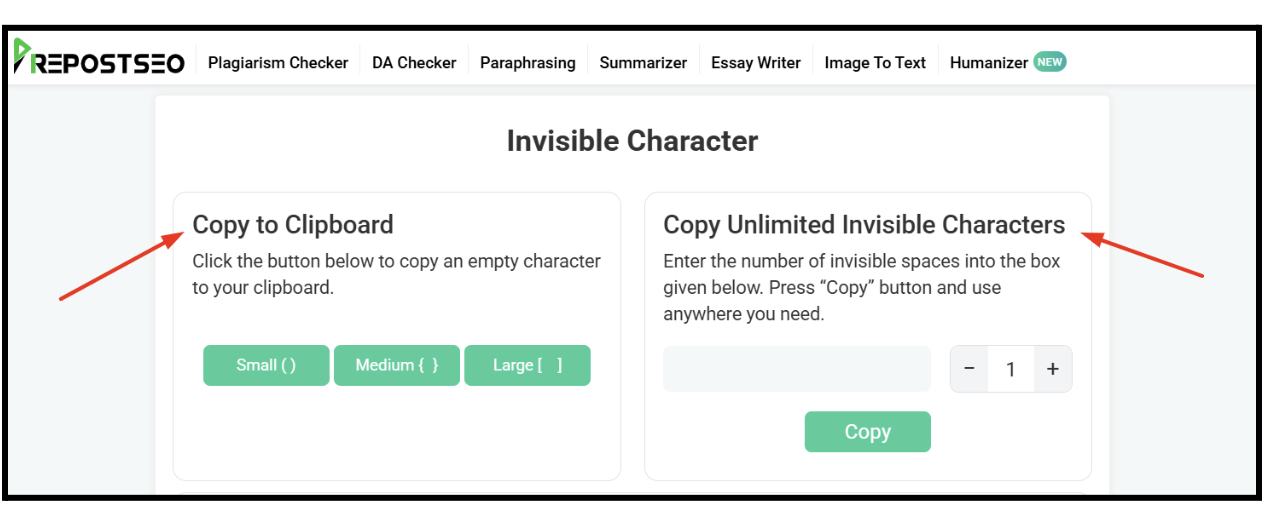
With method 1, you can copy a small, medium, or large invisible character by clicking on its respective button. Method 2 allows you to copy an unlimited number of blank spaces. You can customize the number and press the “Copy” button to copy invisible spaces to your clipboard.
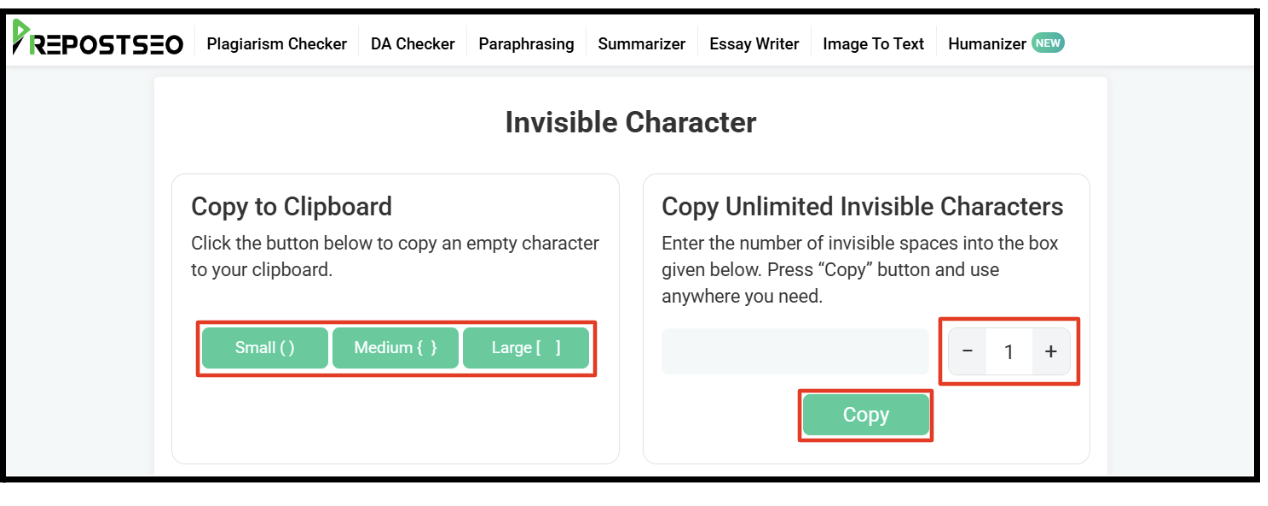
Step 4. Test the Copied Text
After copying, paste the invisible text in the “Test Invisible Character” box provided by the tool to check if the copied text is working or not.
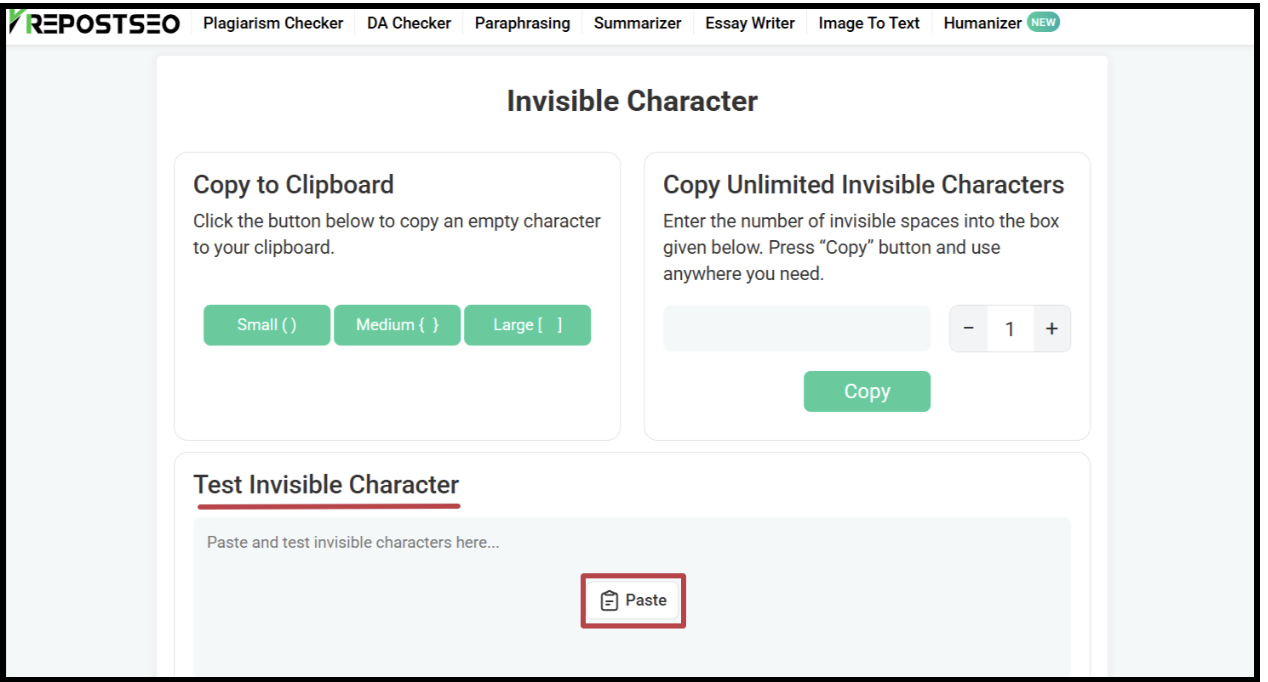
Step 5. Paste on Snapchat and Send
The final step is to access Snapchat. Open the chat of the friend you want to send an invisible message to. Paste the copied text and click send.
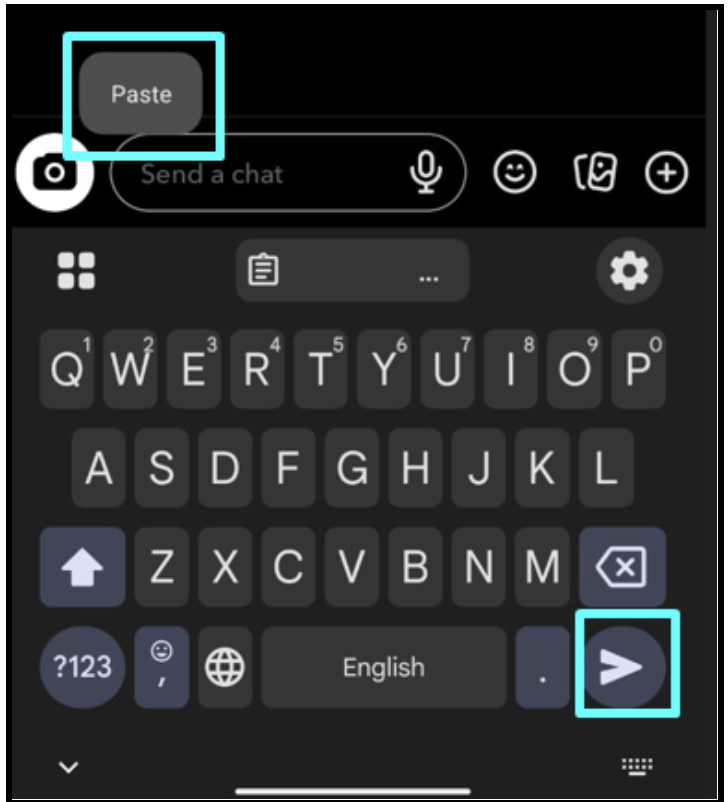
That’s all you need to do in order to have fun with your friends on Snapchat with invisible messages!
Wrapping Up
Invisible messages are really a fun way to catch your friends off guard. To get the best results, send them at times when your friends are the most active. The confusion will hit instantly.
If they reply asking what went wrong, send one more invisible message and enjoy the chaos! However, avoid overusing the trick, or your friends might mute you instead of taking it lightly.
Try to keep it playful unless you want your friend Googling “Snapchat broken” at midnight!