Does Instagram Notify When You Screenshot? 2026 Answer
Spybroski Team
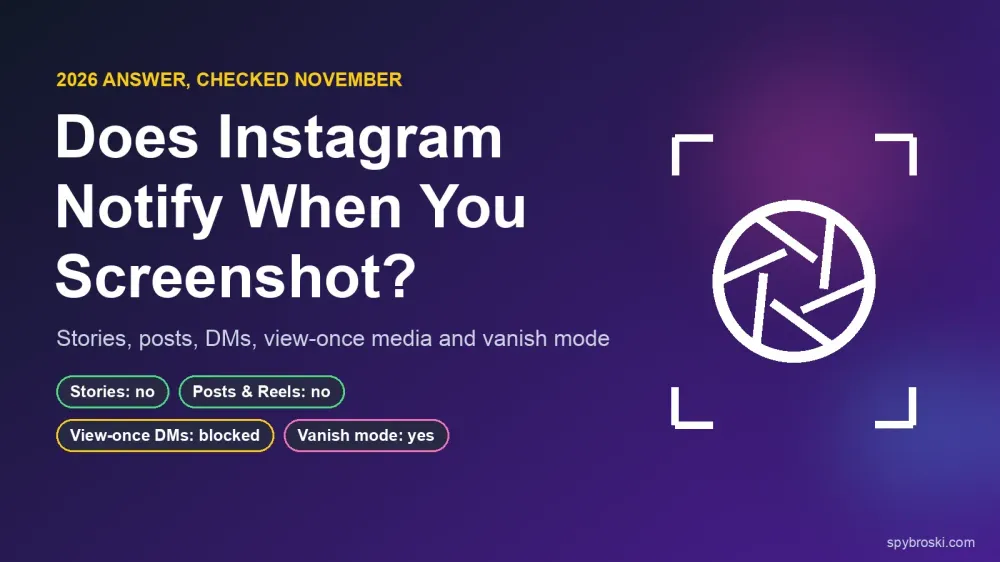
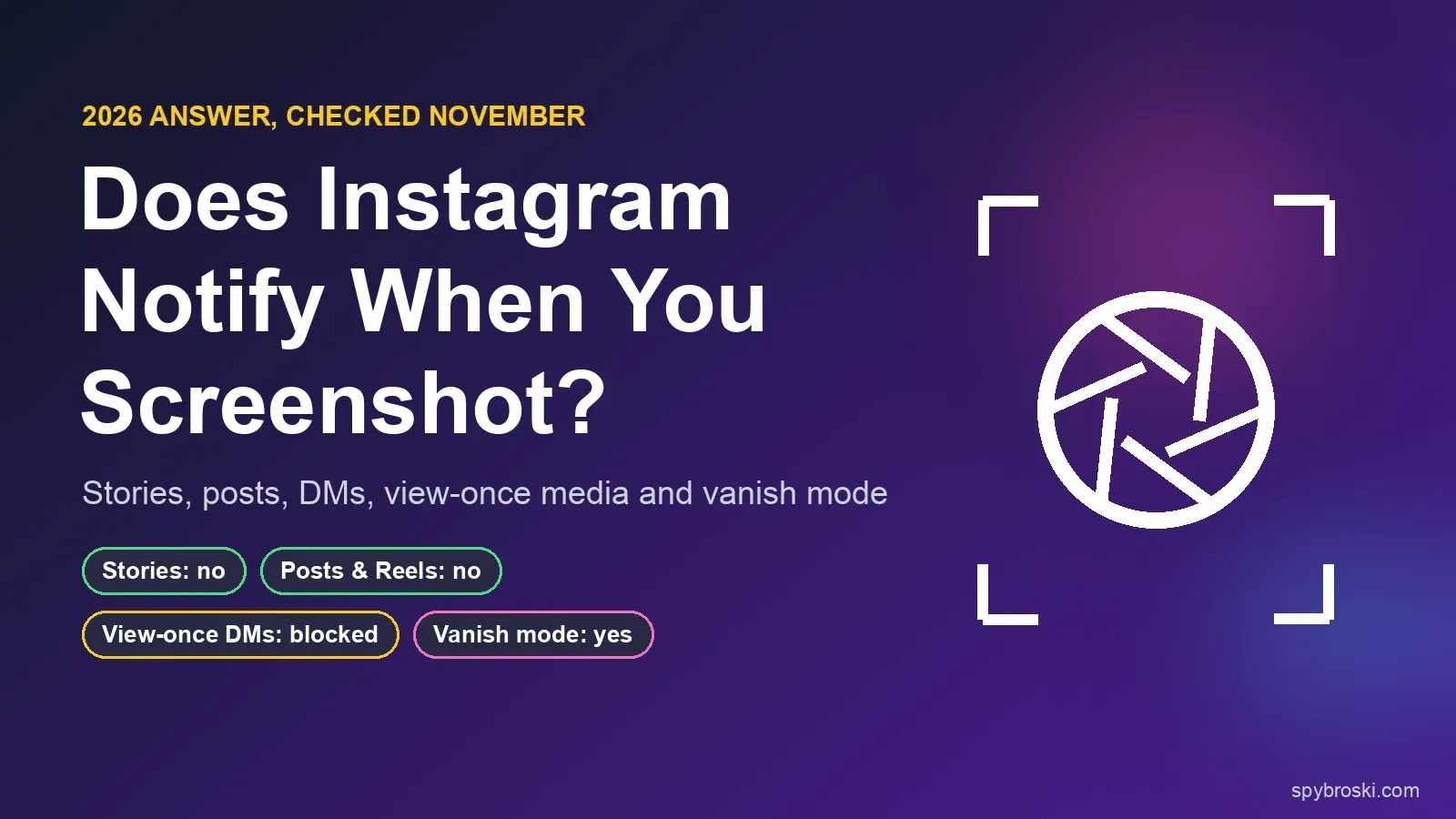
You saw something on someone's story and your thumb is already on the side button. Will they know? In almost every case, no. Instagram doesn't notify anyone when you screenshot a story, a post, a Reel, a profile or a normal chat. There are two exceptions, and both are in your DMs: vanish mode, which tells the other person, and view-once or replay photos and videos, which Instagram now blocks from being screenshotted at all.
That's the short answer. The longer one matters, because the rules changed in October 2024, and much of the advice online still describes how Instagram worked in 2023. We checked every case below against Instagram's own Help Center and Meta's announcements on November 19, 2026.
Key Takeaways
- Instagram doesn't notify anyone when you screenshot or screen record a story, Close Friends story, highlight, post, Reel, profile, comment, Note or regular DM.
- Vanish mode is the one chat type where Instagram says it sends an alert. Instagram's Help Center says the other person is notified if it detects a screenshot.
- View-once and replay photos and videos can't be screenshotted anymore. Instagram's Help Center says taking a screenshot "is now disabled" for them.
- Instagram tested story screenshot alerts in February 2018 and ended the test in June 2018. It hasn't come back, despite viral posts that say otherwise.
- Story owners can't see who screenshotted. They can see who viewed. If you want to watch without appearing in that list, that's a different problem from screenshots.
Does Instagram notify when you screenshot? The full list
Here's every type of content and what happens when you screenshot it.
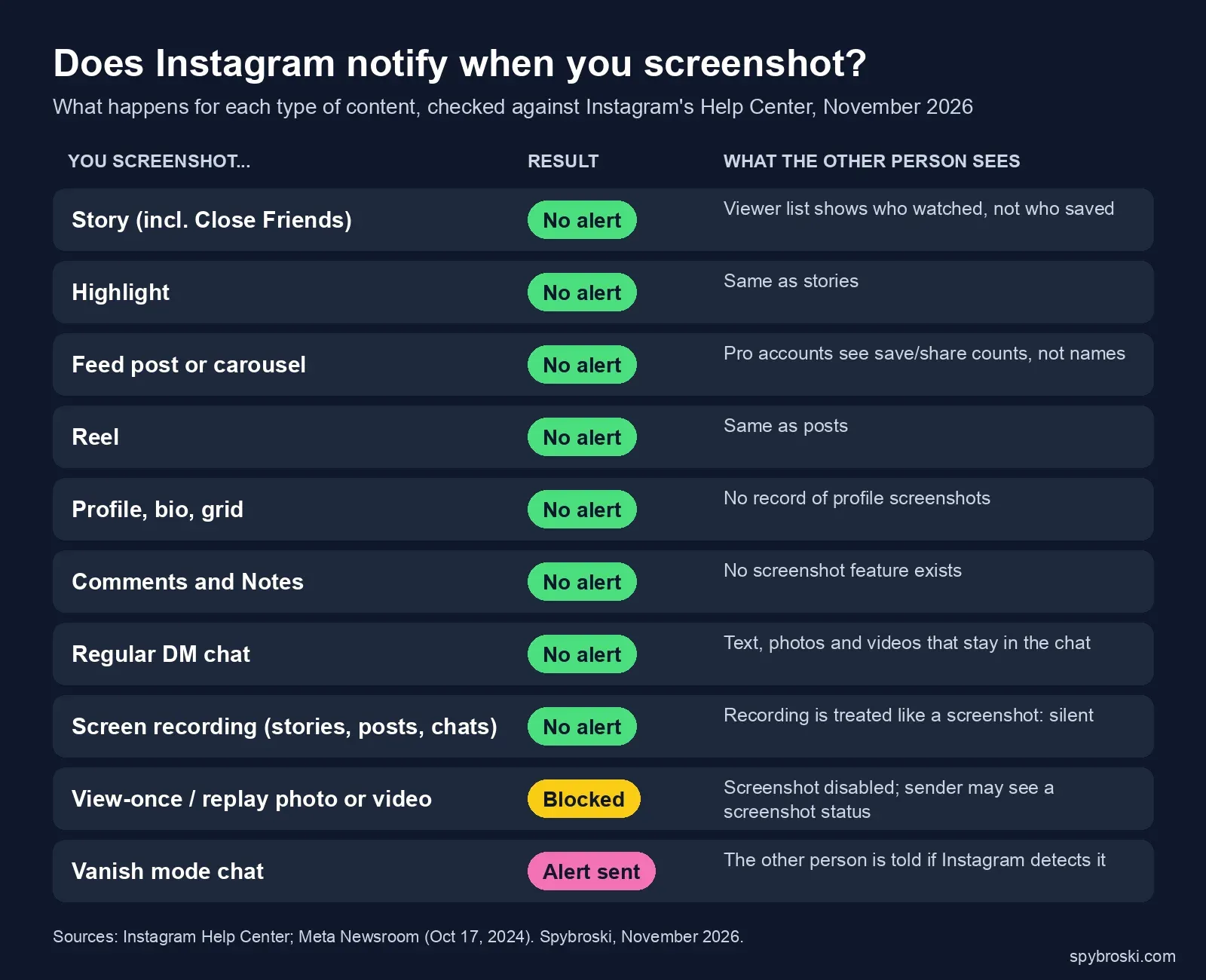 Sources: Instagram Help Center and Meta Newsroom, checked November 19, 2026.
| You screenshot... | Does Instagram notify them? |
|---|---|
| A story or Close Friends story | No |
| A highlight | No |
| A feed post or carousel | No |
| A Reel | No |
| A profile, bio or grid | No |
| Comments or a Note | No |
| A normal DM chat (text, photos, videos that stay in the chat) | No |
| A screen recording of any of the above | No |
| A view-once or replay photo or video | You can't. The screenshot is blocked. |
| A message in vanish mode | Yes, if Instagram detects it |
One honest caveat: Instagram doesn't publish a page that says "we don't notify for posts." The "no" answers come from the fact that no such feature exists in Instagram's documentation or settings, and Instagram has never announced one. The "yes" and "blocked" answers come straight from Instagram's Help Center, linked below.
Does Instagram notify when you screenshot a story?
No. You can screenshot or screen record anyone's story, including a Close Friends story, and they won't get an alert. Nothing changes in their viewer list either.
This is the question people ask most. "Does Instagram notify when you screenshot a story" gets about 18,100 US Google searches a month, and "can people see if you screenshot their Instagram story" gets another 9,900, according to keyword data we pulled from OpenSEO in November 2026.
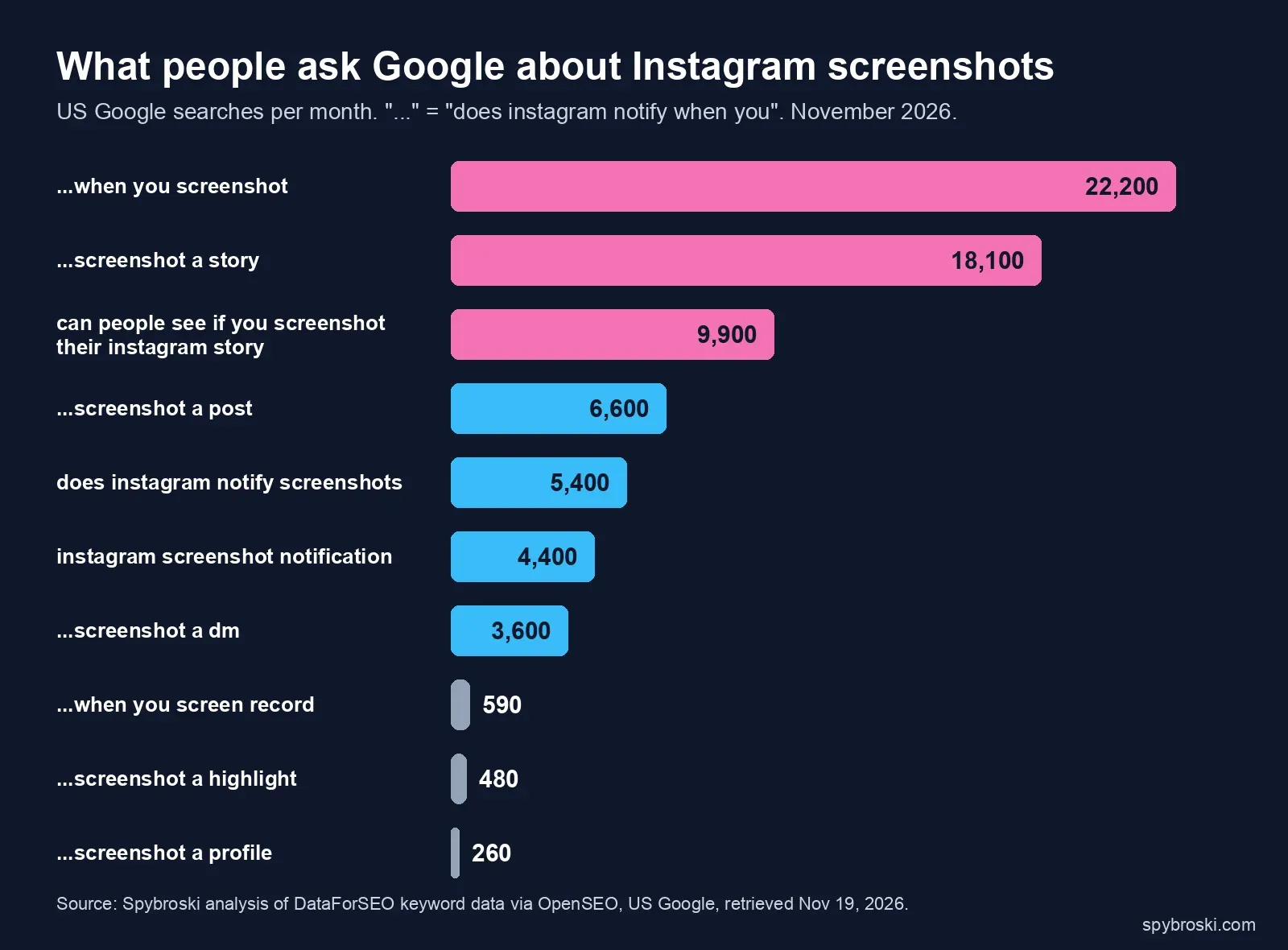 Source: Spybroski analysis of DataForSEO keyword data via OpenSEO, US Google, retrieved November 19, 2026.
Why people think it does
The worry isn't random. In February 2018, Instagram tested story screenshot alerts with a small group of users. If you screenshotted a story, a camera shutter icon showed up next to your name in the owner's viewer list, and test users got a warning before their next screenshot (TechCrunch, February 11, 2018).
Four months later, Instagram told BuzzFeed News it had "officially ended this test" (9to5Mac, June 14, 2018). It has never rolled the feature out since.
That test is why claims that Instagram now notifies screenshots keep resurfacing. When we checked Google on November 19, 2026, a TikTok video claiming a new story screenshot alert showed up on page one for "does instagram notify when you screenshot a story." We found no Instagram or Meta announcement to back it up. If a new alert ever ships, it'll be in Instagram's Help Center and the Meta Newsroom first.
What the story owner can actually see
Screenshots are invisible, but views aren't. Every person who opens a story lands in the owner's viewer list for as long as the story is up. So the real "they'll know" risk isn't the screenshot. It's that you watched at all.
If that's the thing you're worried about, a screenshot setting won't help. You'd need a way to view the story without being logged in as yourself, which is what an anonymous Instagram story viewer does for public accounts. We explain how that works, and what it can't do, in our guide to viewing Instagram stories anonymously. Private accounts are a different story, which we cover in what "private" on Instagram actually means.
Does Instagram notify when you screenshot a highlight?
No. Highlights are saved stories, and they follow the same rules: no screenshot alert, no screen recording alert. To browse highlights without an account, try our Instagram highlight viewer.
Does Instagram notify when you screenshot a post or Reel?
No. Feed posts, carousels and Reels don't send screenshot or screen recording alerts. This question gets about 6,600 US searches a month.
Creators and businesses get one related signal. Professional accounts see in Insights how many people saved or shared a post. They never see who, and a screenshot doesn't count as either one.
Does Instagram notify when you screenshot a profile?
No. Screenshotting someone's profile, bio, grid, a comment thread or their Note doesn't notify them. Instagram has no screenshot feature anywhere outside DMs. If you want to look at a public profile without your account in the picture at all, our Instagram profile viewer shows it without a login.
Does Instagram notify when you screenshot a DM?
It depends on what kind of message it is. This is where most of the confusion lives, because Instagram has three kinds of private messages, and each one works differently.
Regular chats: no alert
Normal DMs are text, photos, videos, voice notes and shared posts that stay in the conversation. Screenshotting or screen recording them sends no alert. This question gets about 3,600 US searches a month, and the answer is the same whether it's a one-on-one chat or a group.
View-once and replay photos and videos: blocked
When someone sends a disappearing photo or video in a chat, they choose how many times you can open it: once, twice, or with a preview that stays in the thread. These used to be the classic "they'll know if you screenshot" case.
That changed in late 2024. In October 2024, Meta announced that it would "no longer allow people to use their device to directly screenshot or screen record ephemeral images or videos sent in private messages," covering "view once" and "allow replay" media in Instagram DMs and Messenger. It also blocked people from opening that media on Instagram on the web, to stop them getting around the rule (Meta Newsroom, October 17, 2024). Meta framed it as protection against sextortion scams aimed at teens, but the rule applies to everyone.
Instagram's Help Center now says it plainly: "Taking a screenshot is now disabled for a disappearing photo and video you've sent in a chat" (Instagram Help Center).
There's a loose end. Another Help Center page still tells senders they can see "if we detect someone took a screenshot" of their disappearing media (Instagram Help Center). The most likely reading is that the block is the main rule, and the screenshot status is there for any capture that slips through. Either way, the rules protect the sender, not the viewer.
Vanish mode: the one that tells
Vanish mode is a chat setting where messages disappear once they've been seen and you leave the chat. It's the only chat type where Instagram says it alerts the other person. Instagram's Help Center says you'll be notified if it detects that the other person took a screenshot or screen recording of a message in vanish mode (Instagram Help Center).
To check whether a chat is in vanish mode, look for the dark screen and the vanish mode label at the top. To turn it on or off in the app (checked November 2026):
- Tap Messages.
- Open the chat.
- Swipe up from the bottom of the chat. Swipe up again to turn it off.
A few limits, all from the same Help Center page. Vanish mode only works between two Instagram accounts, some professional accounts can't receive vanish mode messages, and it "may be unavailable in Japan and for countries located in Europe."
What changed in 2026: no more encrypted chats
On May 8, 2026, Instagram removed end-to-end encrypted chats from DMs. They had been an opt-in setting you turned on per chat since 2023, never the default (MacRumors, May 8, 2026). Meta hasn't said this changes screenshot behavior, and vanish mode is still documented as live in the Help Center. We're watching it, and we'll update this post if that changes.
Does Instagram notify when you screen record?
Only in the same two places as screenshots. Screen recording a story, post, Reel, profile or normal chat sends no alert. In vanish mode, a detected screen recording sends the same alert as a screenshot. View-once and replay media are blocked from screen recording too, per Meta's October 2024 announcement.
How Instagram compares with Snapchat, Messenger and WhatsApp
Apps handle screenshots in two different ways. Some alert the sender after the fact. Others block the screenshot so it never happens. Instagram now does a little of both.
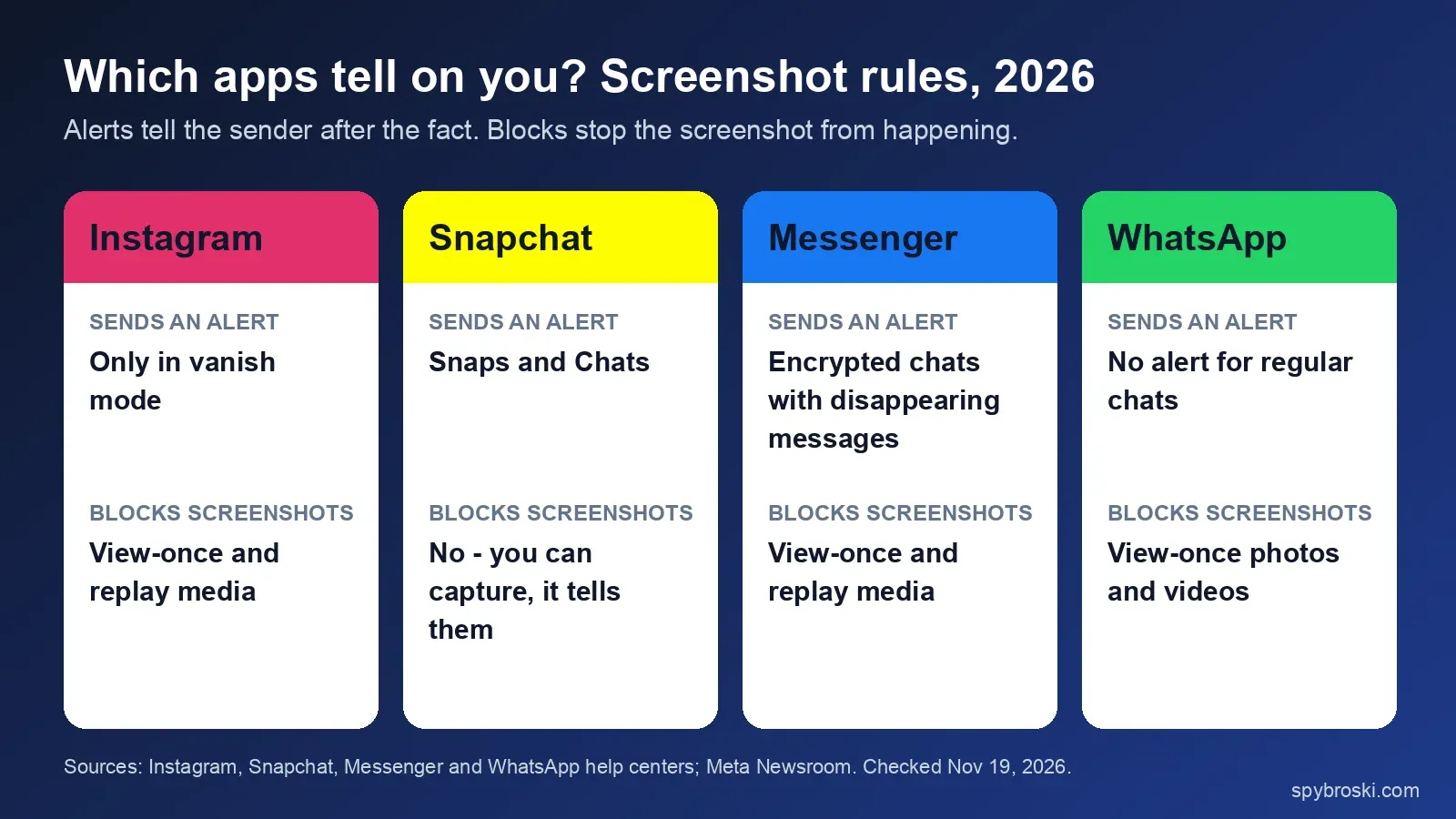 Sources: Instagram, Snapchat, Messenger and WhatsApp help centers; Meta Newsroom. Checked November 19, 2026.
- Snapchat alerts. Its chat icon guide includes "A screenshot has been taken of your Snap" and "...of your Chat" (Snapchat Support). It alerts the sender but doesn't block the capture. We cover Snapchat story screenshots separately in does Snapchat notify when you screenshot a story.
- Messenger dropped vanish mode in favor of disappearing messages. In end-to-end encrypted chats, if a screenshot or screen recording is detected, "you and the people in the chat will be notified." Meta adds that not every capture can be detected (Messenger Help Center). View-once and replay media are blocked, like on Instagram.
- WhatsApp blocks. "The recipient also can't take a screenshot of anything you send using view once" (WhatsApp Help Center).
So if you're used to Snapchat, Instagram feels very quiet. Outside vanish mode and the rare view-once capture that slips past the block, nobody gets told anything.
If you post: how to keep your content from being screenshotted
You can't stop screenshots of stories, posts or Reels on Instagram. What you can control is who sees them in the first place.
- Use Close Friends for stories you only want a short list to see. It doesn't block screenshots, but it shrinks the audience.
- Hide your story from specific people. Go to your profile, tap the three lines, open Settings and activity, then Hide story and live, and pick the accounts (checked November 2026).
- Send sensitive photos as view once in DMs. Instagram blocks the screenshot button here, though another phone's camera can still capture it.
- Use vanish mode for chats you don't want saved. You'll at least know if someone screenshots.
- Go private if a public profile shows more than you'd like. Our guide to what "private" on Instagram actually means explains what that does and doesn't hide.
Assume anything you post can be captured with another phone's camera, which no app can detect.
A note for marketers
Your stories and Reels get screenshotted and passed around further than your share counts show, because screenshots leave no trace in Insights. Put your handle or logo where a crop won't remove it, inside the safe zones of a 9:16 frame. Treat shares and saves in Insights as a floor, not the full picture of how far a post travels.
Frequently asked questions
Does Instagram notify when you screenshot a story in 2026?
No. Instagram ended its story screenshot alert test in June 2018 and hasn't brought it back. Story and Close Friends story screenshots send no alert, and screen recordings don't either.
Can someone see if I screenshot their Instagram story?
No. They can see that you viewed the story, because your name appears in their viewer list for as long as it's live. They can't see that you took a screenshot.
Will someone know if I screenshot our Instagram chat?
Not in a regular chat. It does in vanish mode, if Instagram detects the screenshot. For view-once and replay photos and videos, the screenshot is blocked instead.
Can you screenshot a view-once photo on Instagram?
Not with your phone's screenshot button anymore. Instagram's Help Center says screenshots are disabled for disappearing photos and videos sent in chats, and Meta blocks opening them on Instagram on the web.
Is there an app that shows who screenshotted my Instagram story?
No. Instagram doesn't share screenshot data for stories anywhere, so a third-party app has nothing to read. Apps that promise a list of screenshotters are guessing, or after your login.
Sources
- Instagram Help Center: See the status of a disappearing photo or video you've sent, checked November 19, 2026
- Instagram Help Center: Send disappearing photos or videos in chats, checked November 19, 2026
- Instagram Help Center: Send messages in vanish mode on Instagram, checked November 19, 2026
- Meta Newsroom: Our New Education Campaign to Help Protect Teens From Sextortion Scams, October 17, 2024, updated October 22, 2025
- TechCrunch: Instagram is testing screenshot alerts for stories, February 11, 2018
- 9to5Mac: Instagram will no longer notify users if someone screenshots their Story, June 14, 2018
- MacRumors: Instagram DMs lose end-to-end encryption starting today, May 8, 2026
- Messenger Help Center: Set messages to disappear in a Messenger end-to-end encrypted chat
- Snapchat Support: What do the icons on the Chat Screen mean?
- WhatsApp Help Center: About view once
- Keyword data: DataForSEO via OpenSEO, US Google, retrieved November 19, 2026