How to Know If Someone Blocked You on Instagram (and When It's Something Else)
Spybroski Team
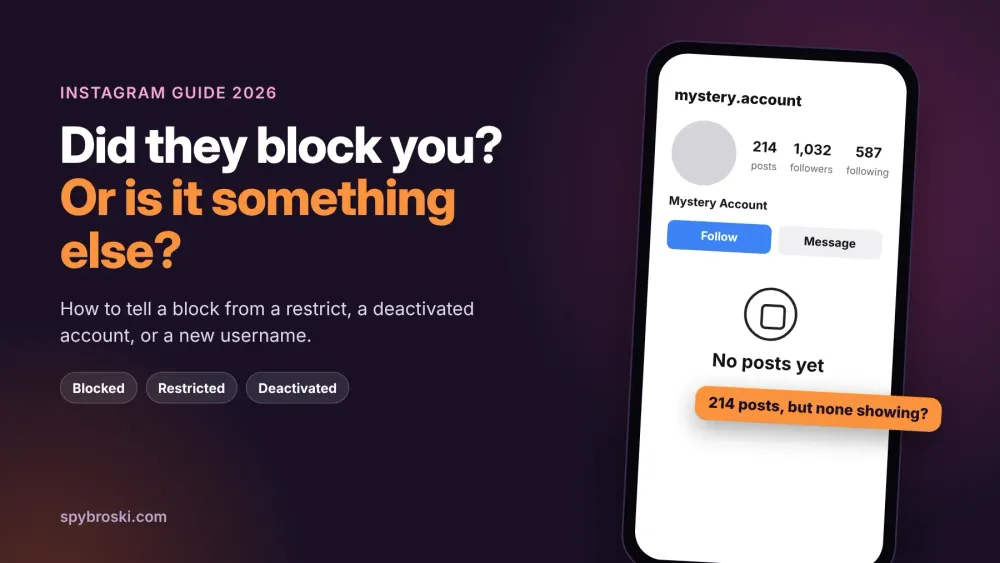
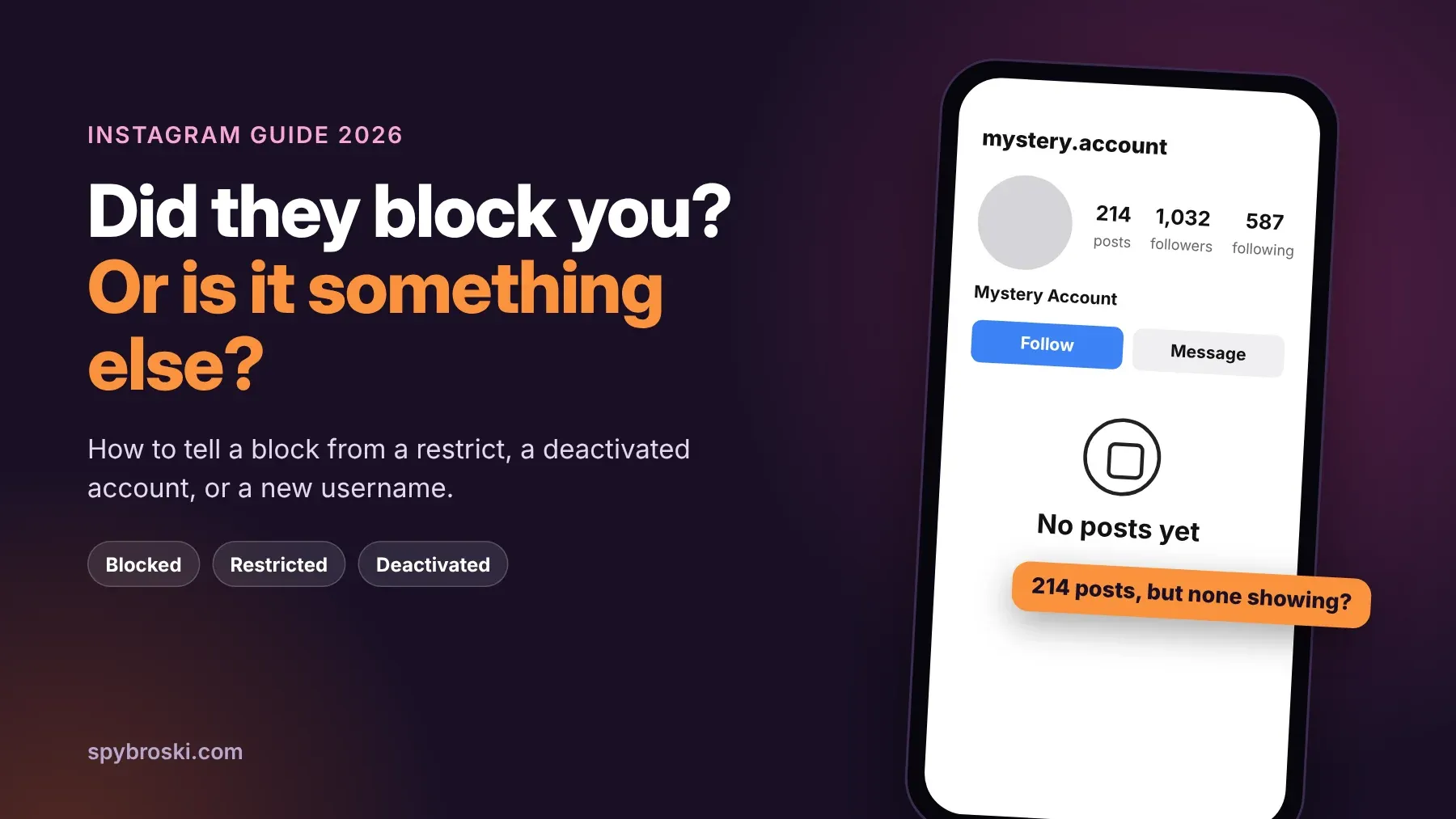
You tap on someone's profile and something feels off. Their posts are gone. Maybe it says "No posts yet" even though you know they post all the time. Or the account won't come up in search at all. So now you're wondering how to know if someone blocked you on Instagram, and whether this is personal or just the app acting up.
You're far from the only one asking. About 33,100 people in the US search that exact question every month, up from 27,100 a year ago, according to keyword data we pulled from OpenSEO. That's a lot of people staring at a blank profile.
Here's the catch. Instagram never tells you when someone blocks you. And a block looks a lot like a few other things: being restricted, the account getting deactivated or removed, or the person changing their username. This guide shows you how to tell them apart in a few minutes. No shady apps, no fake accounts.
The quick answer
Instagram doesn't send a notification when someone blocks you, as Security.org's guide points out. The only way to know is to compare what you see with what everyone else sees.
If the account is missing for you but shows up for other people, you've most likely been blocked. If it's missing for everyone, the account was deactivated, deleted, or renamed. That one test clears up most cases.
Signs someone blocked you on Instagram
None of these proves a block on its own. Two or three together get pretty convincing, though.
- Their account doesn't show up when you search for it.
- Their profile opens but shows no content, sometimes with a "No posts yet" message, even though the post count says they've posted plenty.
- In an old DM, tapping their name no longer takes you to their profile.
- Your friends can still find their profile when you can't.
- The chat you had with them stops working for new messages.
Android Authority lists most of these same signs, and it makes a fair point. Several of them also show up when someone deactivates or deletes their account. That's why the checks below matter.
How to know if someone blocked you on Instagram: three checks
Run these in order. Most people get a clear answer by the second one.
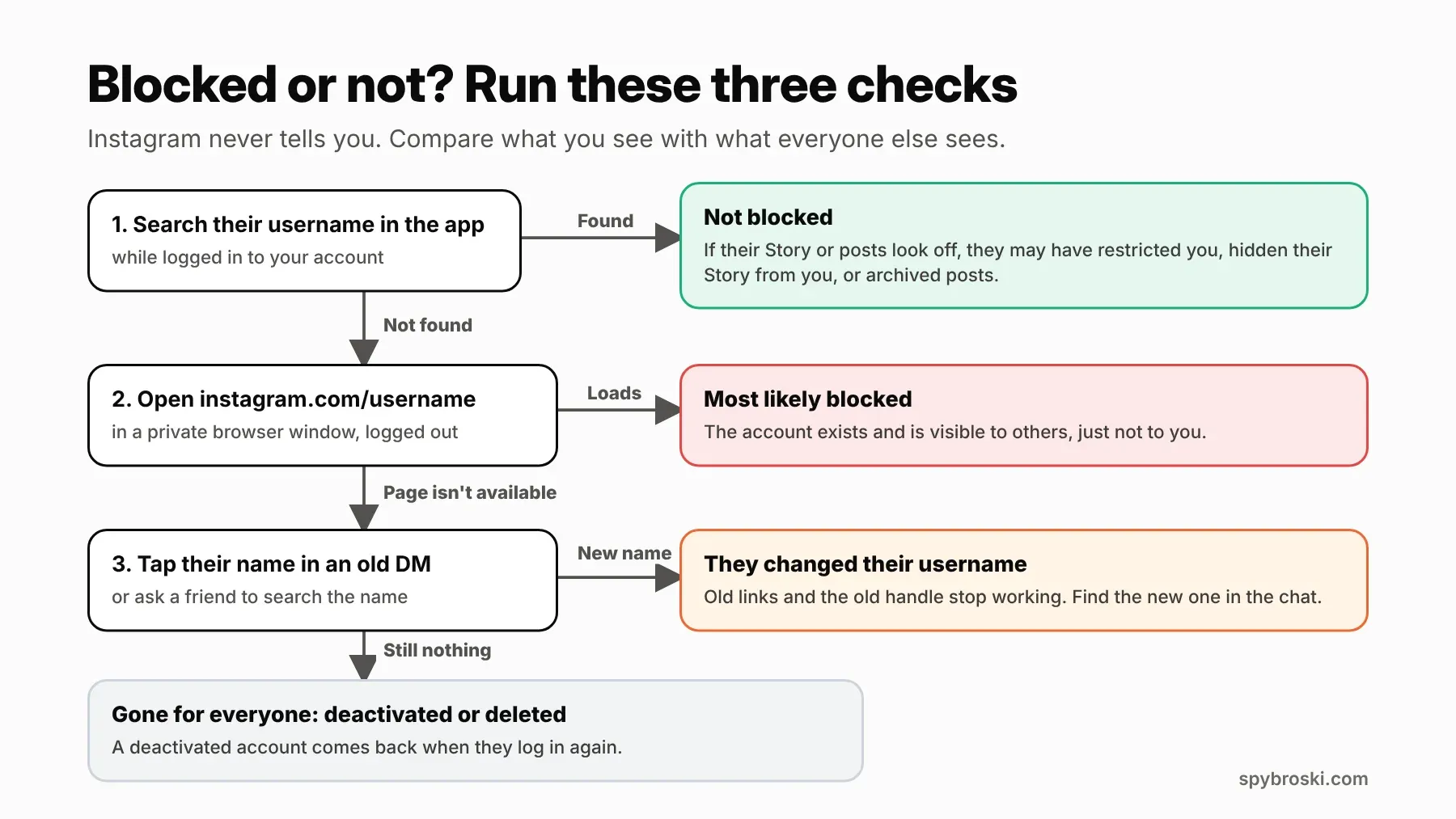
- Search their username in the app. If their profile shows up with posts, you're not blocked. If posts or Stories look different than before, keep reading the restrict section below.
- Open instagram.com/theirusername in a private browser window, logged out. If the profile loads, the account exists and other people can see it. That makes a block the most likely answer. If Instagram makes you log in before it shows anything, skip to step 3.
- Tap their name in an old DM, or ask a friend to search for them. If the chat shows a new username, they changed it. If your friend finds them and you can't, you're blocked. If nobody can find them, the account is deactivated or deleted.
Want a faster way to do step 2? Our Instagram profile viewer lets you check whether a public account still exists without logging in. It only works for public accounts, and it won't get around a private one. Use it to answer the "does this account still exist?" question, not to keep tabs on someone who chose to cut contact.
A word on "who blocked me" apps
You'll find apps that promise a full list of everyone who blocked you. Android Authority mentions one called Followmeter, which needs a paid subscription and access to your Instagram account for that feature. Handing your login to an outside app always carries risk for your account. The three checks above are free, and they don't need anyone's password.
Blocked, deactivated, or just a new username?
These get mixed up all the time, so here's how each one looks from your side.
They deactivated their account
When someone temporarily deactivates Instagram, their photos, videos, comments, and likes are hidden from everyone until they log back in, according to SlashGear's guide. From your phone, it looks just like a block. The difference is that your friends can't see the account either. If it comes back a week later, that's your answer.
They deleted their account
Deletion takes a little longer to settle. SlashGear describes it as a 30 day deactivation first, and after that everything is gone for good. During that window, the account looks the same as a deactivated one.
They changed their username
This one fools a lot of people. When someone changes their handle, the old username stops working, old links break, and searching the old name gets you nothing. But your DM thread updates to the new name. So open your chat with them before you assume the worst.
Instagram removed the account
There's one more option people forget. Instagram can disable accounts that break its rules, and a disabled account disappears for everyone, the same way a deactivated one does. You won't be able to tell the two apart from the outside. Either way, it has nothing to do with you.
What does restrict mean on Instagram?
Restrict is the quiet middle ground between doing nothing and blocking. Instagram launched it in October 2019 as an anti bullying tool. According to Instagram's announcement, here's what happens when someone restricts you:
- Your new comments on their posts are visible only to you, unless they approve them.
- Your messages land in their message requests instead of their main inbox.
- You can't see when they've read your messages or when they're active.
- Since a May 2024 update, you also can't tag them, mention them, or remix their Reels.
The tricky part? You can still see their posts and Stories, and nothing tells you it happened. From your side, everything looks almost normal. It's a little like talking to someone who nods along but stopped listening a while ago.
How to know if someone restricted you on Instagram
Short answer: you can't know for sure. As Reader's Digest puts it, "there are no foolproof ways to know that someone has restricted your account." These signs get you close:
- Their active status disappeared for you. Keep in mind they might have turned activity status off for everyone.
- Your messages never show as seen, even when they're online and posting.
- You leave a comment on their newest post, and a friend can't see it while you can.
- You suddenly can't tag or mention them.
If two or three of these line up, a restrict is a good bet. If only one does, it's probably their privacy settings or plain coincidence.
Restrict vs block vs mute vs hide Story
Instagram gives people four ways to step back from someone, and they're easy to confuse. This chart shows what the other person can still do with each one.
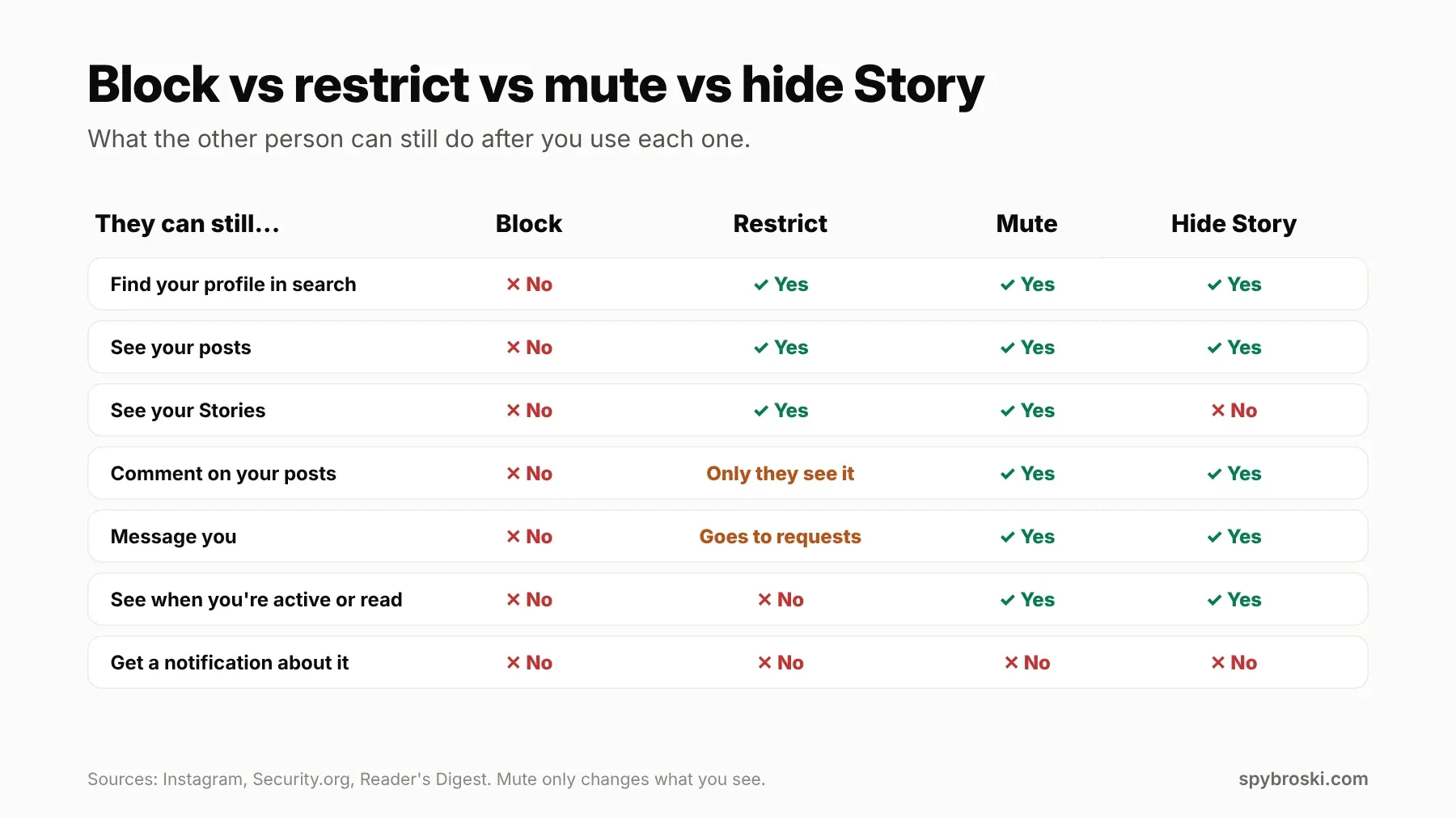
Block is the full stop. They can't find you, see your posts, or message you.
Restrict keeps you visible but turns down the volume on everything they send your way.
Mute only changes what the muter sees in their own feed. The muted person can do everything as normal and has no idea.
Hide Story removes your Stories from one person's view and leaves the rest alone.
That last one deserves a quick tangent. A lot of people decide they've been blocked because they stopped seeing someone's Stories. Often the real reason is less dramatic. The person hid their Story from a few people, or they've been posting to Close Friends only. Either way, you'd never see those Stories, and it has nothing to do with a block.
Can't see their Story? Five reasons that aren't a block
Missing Stories cause more "did they block me?" panic than anything else. Before you jump to conclusions, run through these:
- They didn't post one. Stories disappear after 24 hours, so an empty ring might just mean a quiet day.
- They posted to Close Friends only. You'll only see those if you're on their list.
- They hid their Story from you. Annoying, sure, but it's a lot milder than a block.
- You muted their Story at some point. It happens by accident more than people admit. Muted Stories get pushed to the end of your Story tray, so scroll all the way over and check.
- Their account is private and you don't follow them anymore. Private Stories are for followers only.
If their profile and posts still load fine, you're not blocked. It's one of these five.
What happens when you block someone on Instagram?
Now the flip side, for when you're the one hitting block. Here's what to expect:
- The person isn't notified.
- They can't find your profile in search or see your posts and Stories.
- Your chat stops working for new messages.
- You can also block other accounts they already have and any new accounts they create. Instagram expanded that option in October 2022 to make it "as hard as possible for someone you've blocked to contact you again."
One catch matters if your account is public. Security.org notes that a block only covers the accounts you block. Someone could still look at a public profile while logged out or from an account you haven't blocked. If that worries you, switching to private closes the gap. Our post on what private on Instagram actually means explains what that changes.
Changed your mind later? Instagram's help center says to go to your settings, find Blocked under "Who can see your content," and tap Unblock next to their name.
So you got blocked. Now what?
It stings. There's no way around that. Getting blocked by a friend, an ex, or even a creator you liked feels personal, because it usually is.
So what do you do next? Don't make a new account to reach them. Instagram's block settings can already catch new accounts. And making one turns a quiet goodbye into something that looks a lot like harassment. If you think it's a misunderstanding, one message through a mutual friend is fair. After that, let it go.
And if you're trying to figure out who stopped following you, that's a different question with different answers. Our guide on how to find out who unfollowed you on Instagram covers it.
The short version
If you skimmed straight here, this is what matters:
- Instagram never notifies you when someone blocks or restricts you.
- If an account is missing for you but visible to others, you're most likely blocked.
- If it's missing for everyone, it's deactivated, deleted, or renamed. Check your old DMs for a new username.
- Restrict hides your comments and active status but still lets you see their posts and Stories.
- Not seeing someone's Stories often means Hide Story or Close Friends, not a block.
- Skip "who blocked me" apps that want your password.
FAQ about being blocked on Instagram
Does Instagram tell someone when you block them?
No. Instagram doesn't send any notification when you block, restrict, or mute someone.
If someone blocks you on Instagram, can you still see their profile?
Not from your own account. If their profile is public, it may still load in a logged out browser or for your friends.
What does "No posts yet" mean on someone's Instagram?
It can mean they blocked you. It can also mean they archived their posts or haven't posted anything yet. Open the profile in a logged out browser to compare.
Can you tell if someone blocked you on Instagram DMs?
Sometimes. Open your old chat with them and tap their name. If it doesn't open their profile, and your friends can still find them, that points to a block.
Can someone who restricted me still see my Stories?
Yes. Restrict doesn't hide your posts or Stories from them. The same goes the other way. If you restrict someone, they can still see your Stories unless you also use Hide Story.
What's the difference between restricting and blocking on Instagram?
Blocking cuts off all contact and hides your profile. Restricting keeps your profile visible but hides their comments from others, sends their messages to requests, and hides your active status and read receipts from them.
How long does a deactivated Instagram account stay hidden?
Until the owner logs back in. Their photos, comments, and likes come back when they reactivate.