
How to Create a Blank Instagram Name – Quick Guide

Spybroski Team
How to Create a Blank Instagram Name – Quick Guide
Instagram is now more than just a photo or video sharing platform. Today, most people use it as a source to present their identity, style, and creativity. One unique practice that is going trendy there is the Invisible or empty Instagram names, which people use for privacy, anonymity, or looking mysterious.
You might also have seen such a distinct name and wished to create it for your Instagram profile. Creating a blank name may seem tricky because Instagram doesn’t allow leaving the name field empty requires a combination of characters, letters, or symbols. However, with the right way, you can do this easily.
In this quick guide, we are going to explain what a blank Instagram name is and a step-by-step process to create one for yourself.
What a Blank Instagram Name is?
A blank name refers to the display name of an Instagram profile that appears empty. It doesn’t show any letter or character and looks blank to users. Such names are actually generated using invisible text (also known as blank space or space) or Unicode characters. These characters are invisible to the human eye, but Instagram algorithms count them as valid input characters.
In other words, the only way to create a blank Instagram name is with invisible text.
A Step-by-Step Quick Guide to Create a Blank Instagram Name
Step 1: Create Invisible Characters
First off, you need to create an invisible space. There are multiple ways to generate and copy these spaces, which include the Unicode Providing Website and Invisible Text Generator. However, the latter one is a more convenient and faster method.
There are an overwhelming number of invisible text generators on the internet. In this scenario, determining the most suitable option can be a challenging task for you. To overcome this headache, we also conducted a comprehensive research on blank text providers. After practically using different tools, we came up with a user-friendly and fast-working tool, i.e., Invisible Text.
This tool offers two methods to copy blank spaces. Below is the explanation of each;
-
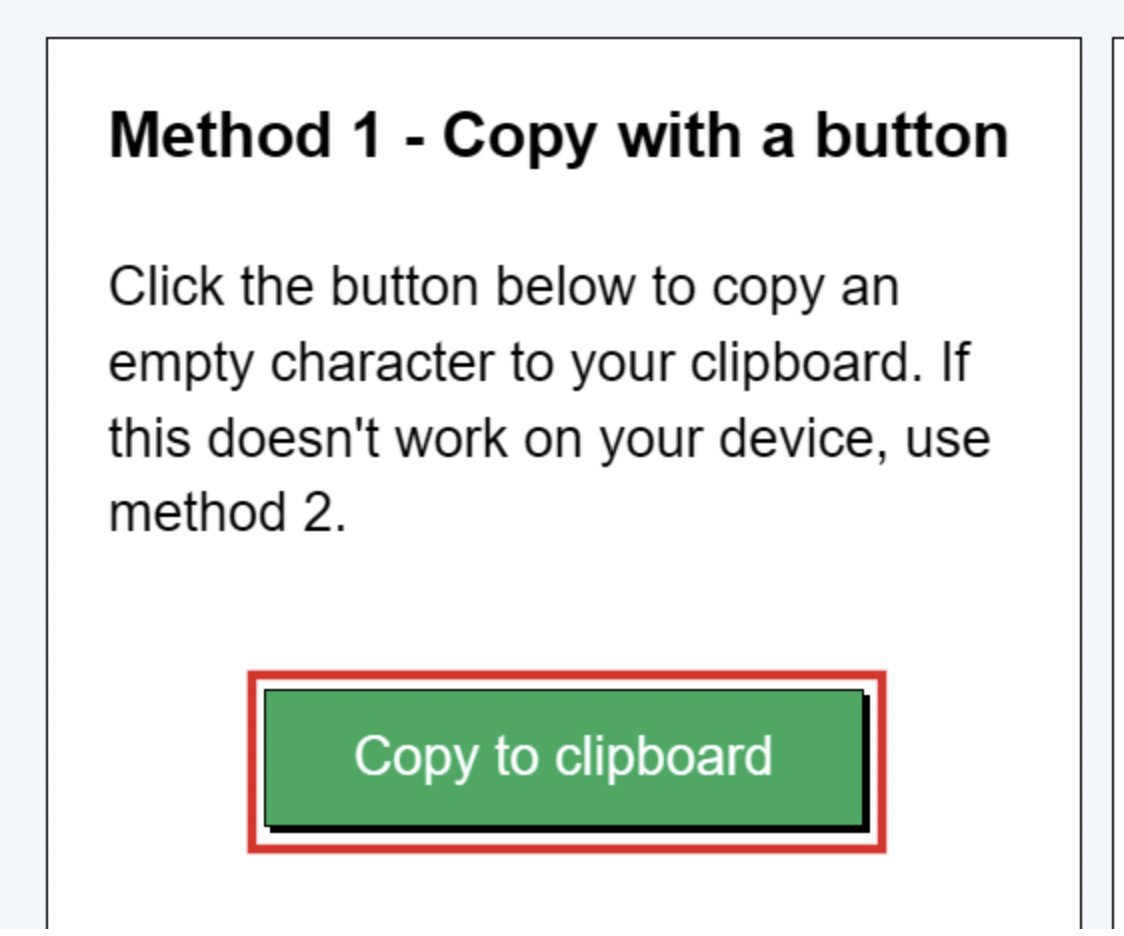
Method 1: Copy with a button
This method provides you with a button named “Copy to clipboard”, clicking which you can copy invisible space to your clipboard.
Here’s the Demonstration of this method;
-
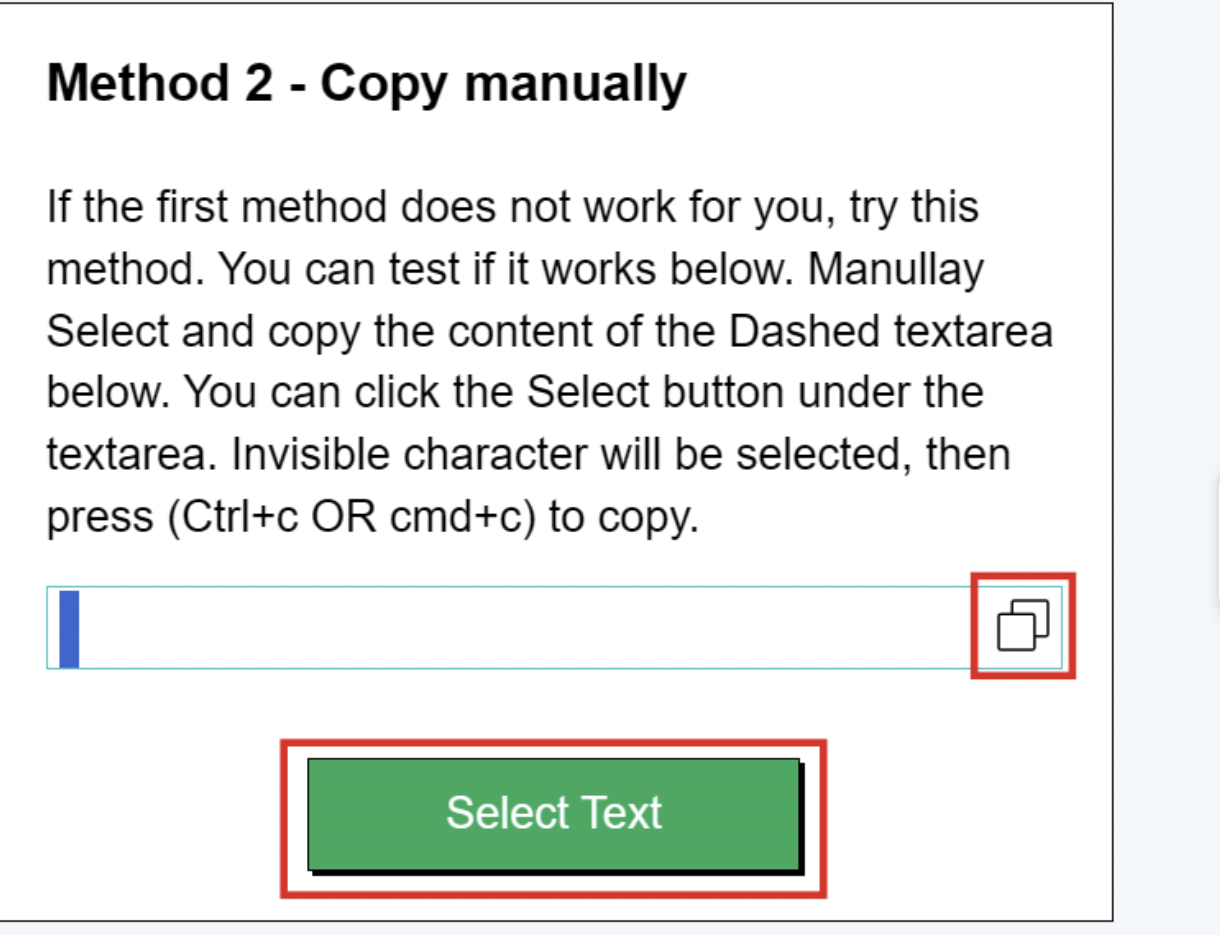
Method 2: Copy manually
Using this method, you can select the invisible space manually by clicking on the “Select Text” button and copy it to the clipboard using the copy button in the right corner of the box.
Hence, from the above-mentioned methods, you can use the one with which you feel more convenient.
Step 2: Open Your Instagram Profile
Once you have copied invisible text using the tool, it’s time to move towards the Instagram app.
- Simply open the Instagram app on your phone.
- Alternatively, you can open Instagram on your web browser (by clicking here: https://www.instagram.com/).
- Now, you should go to your profile by clicking the profile icon located in the bottom-right corner.
- Upon going to your profile, you will see the “Edit Profile” option; Press it.
Here’s the Demonstration;

Step 3. Replace Your Display Name With Invisible Text
Now, the next step is to make your name invisible by replacing it with invisible text. For this, you just need to follow the steps below;
- Click on the Username field, and it will require your interlinked Facebook account login details.
- Sign in by inputting your Facebook account details.
- Once the login is done, you shall see a new interface to change your name. There, remove your Display Name and paste the invisible text in the field.
As shown below;
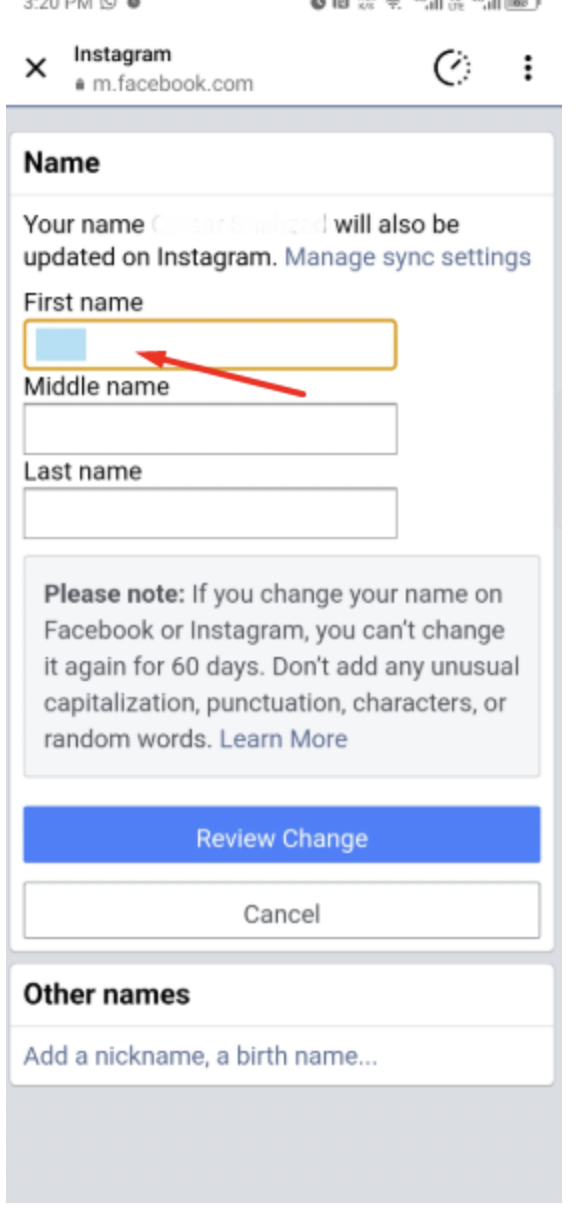
Once done, click the “Review Changes” and then the “Save Changes” button. That’s all, your Instagram Display name is invisible now.
Why Create Blank Names On Instagram?
Blank names on Instagram are not just a random trend created for fun; they are used for various purposes. Below are the main reasons for using invisible names:
- Make Your Profile Unique:
An invisible or blank name can make your profile look mysterious, distinct, and stand out from the crowd. Plus, it will reflect your creativity.
- For Privacy and Anonymity:
Some Instagram users don’t want to expose their details or make their accounts easily searchable. For them, blank names are the best option to ensure privacy and anonymity.
- Add Aesthetic Touch to Profile:
The Instagram users who are minimalists often look for elements that could add a simple and stylish vibe to their profile. They usually choose invisible names to match their clean and aesthetic feed theme.
- Engage Vistors:
A blank name makes people curious and encourages them to visit your profile. This can increase likes, comments, and follows. You can check the engagement results with an Instagram Engagement Rate Calculator offered by Vaizle.
Conclusion
An invisible or blank Instagram name is an effective way to grab attention, show creativity, or create some fun. However, creating such a name may feel like a tricky task for you. But, actually, it is very simple when you follow the right way.
In this post, we mentioned a step-by-step, simple process to create a blank Instagram name with the help of Invisible spaces. One thing to keep in mind here is that you can make the Display name invisible, not your Username, as it can never be blank.
Now, just follow the above quick guide and turn your dream of creating an empty name into reality!