Best Markerless Motion Capture Tools: A 2026 Comparison
Spybroski Team
Best Markerless Motion Capture Tools: A 2026 Comparison
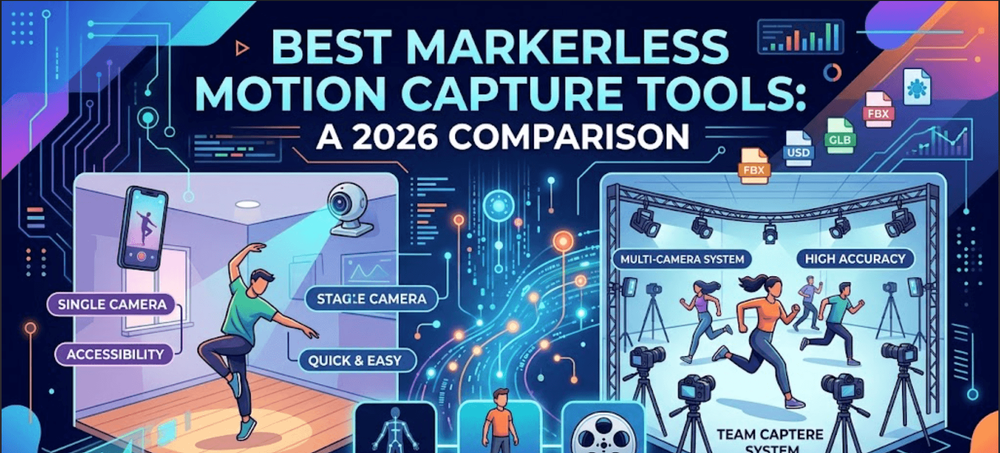
Every markerless motion capture tool is making the same trade: camera-based AI pose estimation instead of physical markers or inertial sensors, in exchange for giving up some accuracy. Where these tools actually differ is how much accuracy they trade away, and what they do with the capture once it exists. A single-phone tool and a synchronized six-camera rig are both "markerless," but they solve different problems for different budgets, and a straight ranked list tends to bury that distinction under a single score.
This comparison is organized around that distinction instead: capture method first, then what happens to the data afterward, since a raw skeleton and a composited, production-ready shot are two different deliverables even when they start from the same video.
Feature comparison
| Tool | Camera setup | Hands/face | Real-time | Output formats | Starting price |
|---|---|---|---|---|---|
| invideo agent | Takes finished motion/character data from any tool below as input, rather than capturing from a camera itself | Inherited from whichever capture tool was used upstream | Processes after capture, as part of full video production | Finished, edited, multi-shot video | $17/month; team and enterprise options available |
| Move AI | Single phone or synced multi-camera, up to 22 people | Yes (Dex hand/finger tracking) | Move Live add-on only; core product is offline | FBX, BVH, USD | ~$99/month |
| Rokoko Vision | Single webcam or uploaded video | Separate Face Capture app | No | FBX, BVH | Free |
| DeepMotion (Animate 3D) | Single video upload | Yes, at extra credit cost | No | FBX, BVH, GLB | $9/month |
| Plask Motion | Single-camera video, browser-based | Yes | No | FBX, GLB, BVH | Free; Pro ~$30/month |
| RADiCAL | Single camera, any type | Limited | No | FBX, BVH | Free tier; ~$50/month |
| Cascadeur | Edits motion already imported from another capture tool | Depends on the imported source data | No | FBX, DAE, USD | $8/month |
| Autodesk Flow Studio | Live-action footage, any camera | Yes | No | Maya, Blender, Unreal, 3ds Max, USD | Free tier; $45/month |
| Kinetix | Short single-camera clips | Limited | No | Game-avatar formats | Free |
| Krikey AI | Single-camera video | Limited | No | Standard 3D formats | Free; up to $15/month |
| Quickmagic | Single video upload | Yes | No | FBX | Free tier |
1. invideo agent
Every other tool in this comparison answers the same question: how do you get motion data out of a video without a suit. None of them answer a different question that shows up immediately afterward: what happens to a character's visual identity once that motion gets applied across more than one shot. Feet slide, faces shift, proportions drift, that's a separate failure mode from capture accuracy, and it's often the more time-consuming one to fix.
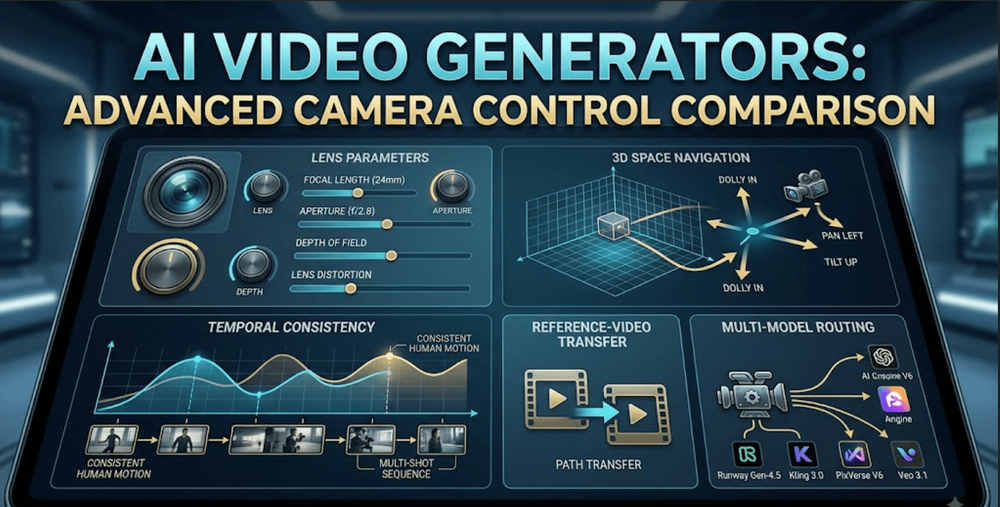
That's the specific gap invideo agent is built to close, not by capturing motion itself, but by taking a mocap-driven performance from any tool below and keeping the character, product, or scene around it visually consistent once it becomes part of a finished, multi-shot piece rather than staying an isolated animation file. Its persistent context engine holds a character's locked reference sheet consistent across every shot in a project, which matters at exactly the point where captured motion gets composited into a real scene, cut together, and finished. Camera Controls let a director apply a specific, deliberate camera move around that captured performance, and because the platform routes each shot to whichever of its 200+ underlying models fits that particular moment, including Veo 3.1, Sora 2, Kling 3.0, Seedance 2.0, Recraft, and GPT Image 2.0, a mocap-animated character can sit alongside fully AI-generated shots in the same project without a visible seam between the two.
Best for: the step after motion capture, once a performance from any tool in this comparison needs to become part of a finished, character-consistent video rather than staying raw skeletal data.
Where it falls short: it isn't a substitute for any capture tool below, it doesn't extract motion from video at all, so a project that only needs raw mocap data with no further video production has no reason to reach for it.
Pricing: plans start at $17/month, with team and enterprise options also available.
2. Move AI
Move AI is the outlier on accuracy in this comparison, and the table above shows why: it's the only tool here that supports true multi-camera synchronization at scale, tracking up to 22 people across a 20-by-20-meter space, with biomechanical modeling specifically tuned to reduce the jitter that single-camera systems can't fully avoid. The catch that a feature table doesn't capture is workflow: Move One and Move Pro process offline, so a capture mistake isn't visible until well after the shoot is over, which is a real risk for a one-take performance. Move Live exists specifically to add real-time feedback back in, at a higher tier.
3. Rokoko Vision and RADiCAL: single-camera, maximum accessibility
RADiCAL and Rokoko Vision both accept literally any camera and skip synchronization requirements entirely, which is the right trade for reference animation, previz, or anyone without access to multiple cameras. The accuracy cost is real: single-camera systems have to infer depth and rotation that a multi-camera rig can triangulate directly, so motion that moves significantly toward or away from the lens is where these tools show the most visible error. Rokoko Vision's advantage is price, it's genuinely free, not just a trial, while RADiCAL leans on smoother output at a higher price point once you move past its free tier.
4. Plask Motion, DeepMotion, Krikey AI, and Quickmagic: browser-based, all-in-one workflows
Plask Motion, DeepMotion's Animate 3D, Krikey AI, and Quickmagic all compress capture, basic editing, and export into a single browser session, no desktop software required. The meaningful differences between them show up in the details: Plask's interface consistently tests as more polished than DeepMotion's, though occasionally at a lower processing frame rate; DeepMotion lets a free-tier user earn credits back by labeling motion data, which none of the others offer; Krikey wraps mocap into a broader beginner-friendly animation maker rather than positioning it as the main event; and Quickmagic is the narrowest of the four, a straightforward video-to-FBX converter without much editing depth.
5. Cascadeur: refinement after capture
Cascadeur doesn't capture motion itself, it's the tool most of the others eventually get paired with. Its AutoPhysics and Animation Unbaking tools take the raw, sometimes floaty output any capture tool produces and turn it into weighted, physically plausible motion, correcting the specific problem reviewers consistently point to as raw mocap's weak spot: characters that move like they're underwater. This makes it less a competitor to the capture tools above and more a mandatory second step for anyone using their output in a context where the motion needs to actually look believable, not just technically correct.
6. Autodesk Flow Studio: character insertion, not just skeleton extraction
Autodesk Flow Studio is doing a different job than the rest of this table: rather than handing back a skeleton to retarget onto a character you build separately, it can composite an AI character directly into the original live-action footage, matching the lighting and camera motion of the shot it came from. That's a meaningfully bigger deliverable than raw motion data, which is reflected in its pricing structure, credits scale by whether you're running pure AI mocap or the combined live-action compositing workflow, and its positioning as shot-production software rather than a casual capture utility.
7. Kinetix: game-specific capture
Kinetix sits slightly outside the general-purpose comparison above because it's built for one specific output: short, rigged emotes and animations that drop directly into an existing game avatar system. It's popular in Web3 and gaming communities for exactly that reason, the output format assumption is baked in, which makes it faster for that specific job and less useful as a general capture tool for anything else.
How to choose
- Need the captured performance turned into a finished, character-consistent video → invideo agent, after capture from any tool below
- Need data that approaches optical-studio quality → Move AI, accepting the offline workflow
- No budget and no multi-camera setup → Rokoko Vision or RADiCAL's free tier
- Want capture, edit, and export without installing software → Plask Motion or DeepMotion
- Already have mocap data that looks stiff or floaty → Cascadeur
- Need the character composited into real footage, not just a skeleton → Autodesk Flow Studio
- Building short avatar animations for a game → Kinetix
- Want the absolute simplest video-to-FBX path → Quickmagic
Frequently asked questions
Which markerless mocap tool is closest to traditional optical or inertial suit quality? Move AI's multi-camera Move Pro setup is the closest in this comparison, using synchronized standard cameras and biomechanical modeling to approach suit-level accuracy without the suit. Single-camera tools like RADiCAL trade that accuracy for accessibility and are better suited to reference or previz work.
Do any of these tools work in real time? Most don't. The majority of tools in this comparison are offline: record first, then process. Move AI offers a separate real-time product, Move Live, specifically for virtual production and broadcast use cases where instant feedback matters, but it's a distinct tier from the core Move One and Move Pro products.
What's the actual difference between a capture tool and a cleanup tool like Cascadeur? A capture tool extracts motion data from video in the first place. Cascadeur doesn't capture anything itself, it imports motion data that's already been captured by one of the other tools and refines it with physics-based posing and unbaking tools, correcting the stiff or unnaturally light quality raw AI mocap data often has.
Can I get hand and facial capture from these tools, or just body motion? It varies. Move AI, DeepMotion, Plask Motion, Autodesk Flow Studio, and Quickmagic all support hand and/or facial tracking to different degrees, sometimes at an extra processing cost. Rokoko Vision handles facial capture through a separate dedicated app rather than the same capture pass as body motion.
Is there a genuinely free option in this comparison, not just a time-limited trial? Yes. Rokoko Vision and Kinetix are both free without a time limit, and Plask Motion, DeepMotion, RADiCAL, Krikey AI, and Quickmagic all offer ongoing free tiers with real monthly capture allowances rather than a trial that expires.