Best AI Summarizer for Busy Professionals in 2026: 6 Tools for Meetings, Reports, and Inbox Overload
Spybroski Team
The average knowledge worker now processes more text in a day than a newspaper editor did a generation ago: a 40-page vendor proposal, three meeting recordings, a 200-message email thread, and a market report someone forwarded with "worth a read." None of it is optional, and none of it fits into a calendar that is already full.
An AI summarizer is how professionals save time and get that reading back under control. The right AI summary generator turns long reports, transcripts, and threads into key points you can act on in minutes, while keeping the original context so nothing important is lost in compression.
The best AI summarizer for professionals is the one that handles the formats you actually receive (documents, links, transcripts, and threads), lets you control summary length, and produces output you can forward without editing. Eliten's Text Summarizer leads this list; Otter, Microsoft 365 Copilot, and Notta cover meetings; Claude and ChatGPT handle everything else.
A good AI summary generator is now one of the most-used productivity tools in the office, alongside note taking apps and editing tools, and the category has split into two camps: general AI tools that summarize text on request, and specialist summarization tools built for meetings, PDF summarization, educational content, or academic research and literature reviews. This guide covers the first two camps and leaves the academic work tools to a separate guide.
It ranks six AI summarizer tools for managers, consultants, analysts, and anyone whose job is mostly reading and deciding. Six rather than fifteen, because most professionals need one primary summarizing tool and one meeting tool, not a directory.
Pricing disclaimer: all prices below are accurate at the time of publication and are subject to change. Where plan details vary by region, seat count, or billing period, check the vendor's website for current figures.
How we chose these AI summarization tools
We scored each AI summary generator on what matters at work rather than in a lab:
- Input coverage. Can it take pasted text, an article link, uploaded documents, or a meeting recording? Professionals rarely get to choose the format they receive.
- Output you can forward. Structured summaries with bullet points, action items, and clear key findings are worth more than a paragraph you have to rewrite.
- Control. Can you adjust summary length and focus the summary on decisions, risks, or numbers?
- Fidelity. Does the tool preserve the original context, or does it smooth over the caveat that changes the decision?
- Cost and admin. Does the free plan cover a realistic trial, and where do paid plans start for a single user versus a team?
We excluded tools built primarily for academic research, such as literature reviews and other tools for academic work, and tools built for marketing copy. Jasper AI, for example, is a strong drafting platform for marketing teams, but summarizing a board pack is not what it is for.
Quick comparison: 6 AI summarizer tools for work
| Tool | Best for | Input types | Output control | Entry price |
|---|---|---|---|---|
| Eliten Text Summarizer | Documents, reports, article links, long email threads | Paste, URL, DOCX, PDF, TXT | Multiple formats, three lengths, custom focus rule | Freemium; check site for plans |
| Otter | Meeting transcripts and action items | Live meetings, audio and video files | Automated bullet points and action items | Freemium; Pro from about $8.33 per month billed annually |
| Microsoft 365 Copilot | Teams meeting recaps inside Microsoft 365 | Teams meetings, Outlook, Word, SharePoint | Recap templates, chat prompts | Add-on, about $30 per user per month |
| Notta | Multilingual meetings and interviews | Live meetings, audio and video recordings | AI summaries, action items, translation | Freemium; Pro from about $8.17 per month billed annually |
| Claude | Very long documents and contracts | Paste, file upload, projects | Prompt-driven | Freemium; Pro $20 per month |
| ChatGPT | General-purpose summaries and follow-up analysis | Paste, file upload, voice | Prompt-driven | Freemium; Go $8, Plus $20 per month |
1. Eliten Text Summarizer
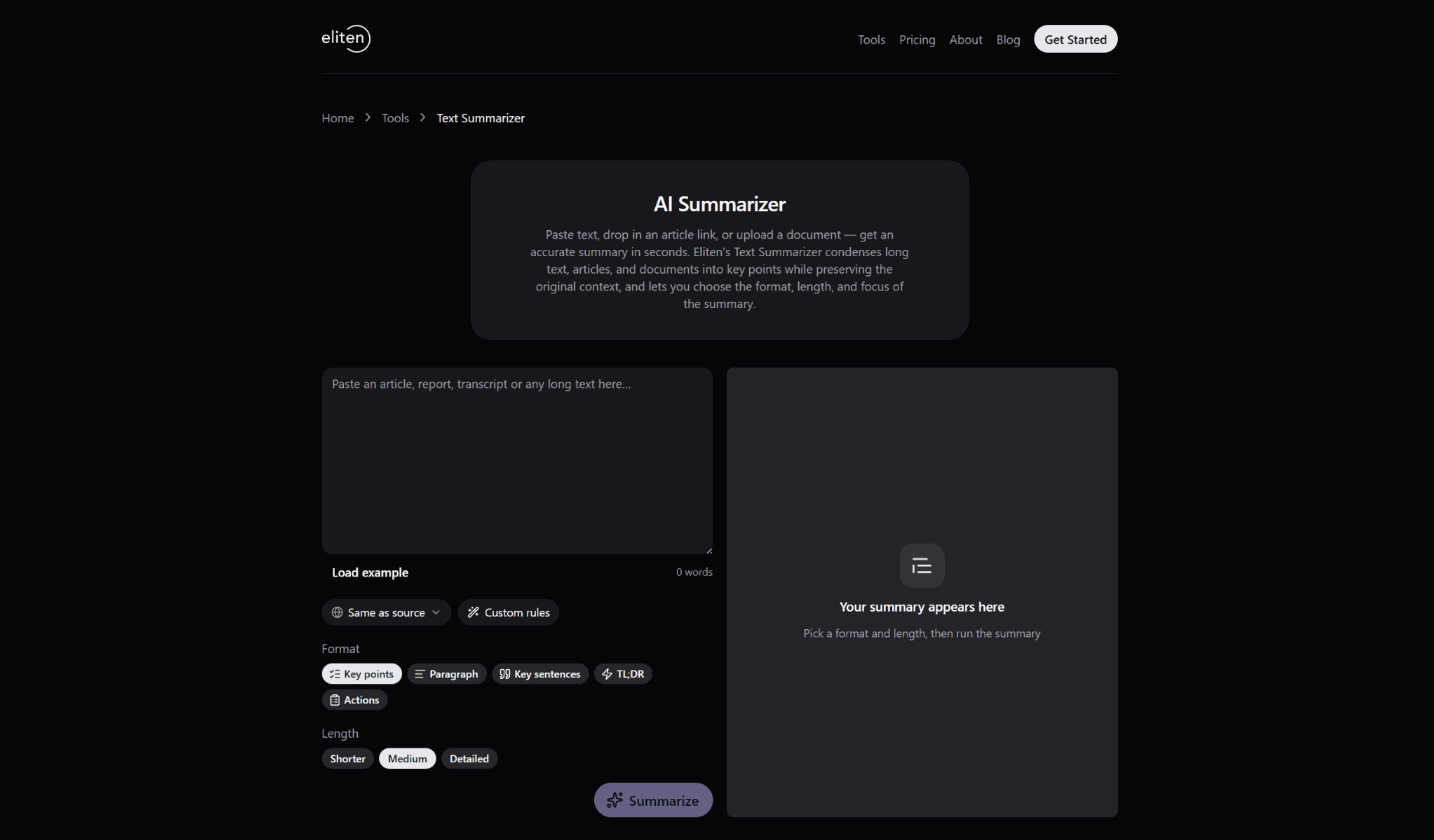
Eliten's Text Summarizer is the primary AI summarizer tool on this list because it handles the widest range of everyday work inputs and gives you the most control over what comes out.
Where it shines at work
You bring in text three ways: paste it into the input box, drop in a link to an online article, or upload documents in DOCX, PDF, or TXT format up to 10 MB. Each request handles up to 5,000 words, so you can summarize text from a typical report, proposal, or long email thread in one pass.
The same engine works as an AI article summarizer for web pages: drop in URLs for long articles and the tool will condense articles that would otherwise sit unread in a browser tab.
Then you choose the shape of the output and hit Summarize. Formats include key points, a paragraph, key sentences, a TL;DR, and an action list; the action list alone makes it a practical replacement for manual note taking after reading a proposal. You set the summary length to shorter, medium, or detailed, and a custom rule focuses the summary on exactly what you need: only the risks in a contract, only the key findings in a report, only the decisions in a thread.
Eliten's AI text summarizer is abstractive, so it writes a fluent AI summary that preserves the original context rather than pasting together extracted lines. That matters when you forward the output to someone who has not read the source.
The workflow continues after the summary.
The same AI chat stays open, so you can ask follow-up questions, turn the key points into an email, rewrite a section in plainer language, or run a grammar check on your reply.
The tool also works in multiple languages: paste a supplier's document in one language and get the summary in another.
Pricing and limits
Eliten is freemium. You create an account to see your first result, new users receive starter tokens, and a paid plan unlocks higher usage. The current plan structure is on the pricing page on the site.
Your text is processed only to produce the summary and answer follow-up questions; it is not permanently stored or used to train AI models, which is the first question most legal and procurement teams ask.
Watch for: the 5,000-word cap per request means a 60-page document needs to be split into sections. As with any AI summary, review the output against the source before it goes into a decision memo.
2. Otter
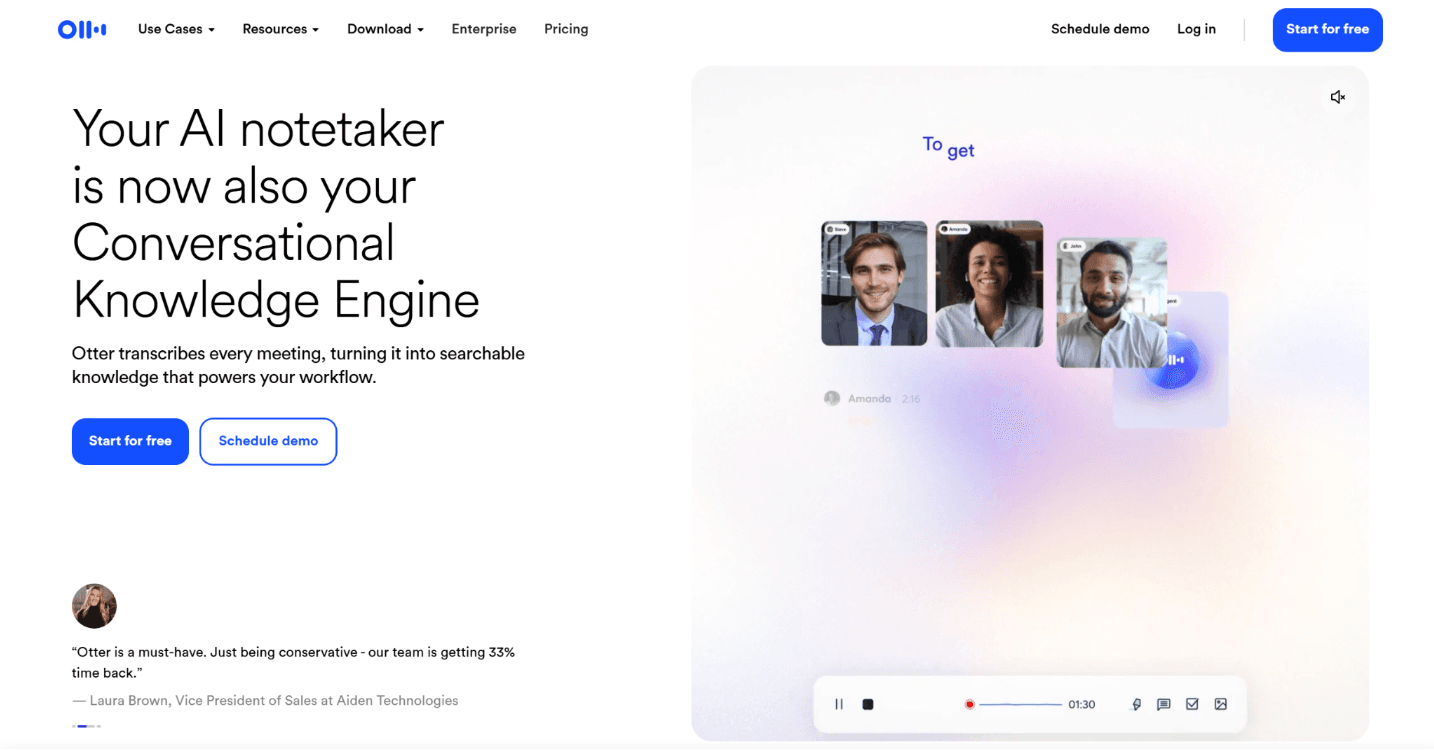
Otter is the most widely used dedicated meeting summarizer tool. It joins Zoom, Microsoft Teams, and Google Meet calls, transcribes in real time, and produces an automated AI summary with bullet points and action items when the meeting ends.
Where it shines at work
The value is that you save time by not taking notes. Otter records, identifies speakers, and will generate summaries you can share with the people who missed the call. Its AI Chat lets you ask questions across your meeting history ("what did we agree about the Q4 budget?"), and the 2026 versions add named AI agents for sales, recruiting, and education workflows, including one aimed at turning lectures and educational content into notes.
Uploaded audio and video files are summarized the same way as live meetings.
Pricing and limits
The free plan gives 300 transcription minutes per month with a 30-minute cap per conversation and a small lifetime allowance of file imports, which is enough to trial the product but not to run a week of meetings. Pro costs $16.99 per month, or about $8.33 per month billed annually, and raises the cap to 1,200 minutes.
Business runs $30 per user per month (about $19.99 billed annually) with unlimited meeting transcription and admin controls.
Watch for: Otter reduced Pro's monthly minutes in 2026 without cutting the price, so heavy users should check the current cap. Language coverage is narrower than Notta's.
3. Microsoft 365 Copilot (Teams meeting recaps)
If your organization already runs on Microsoft 365, the most convenient meeting summarizer is the one built into Microsoft Teams. Copilot produces recaps, action items, and speaker summaries directly in the meeting's recap tab, and you can ask it questions about a call you missed.
Where it shines at work
Copilot's advantage, and what makes it a powerful tool, is context. Because it sits on top of your organization's Outlook, SharePoint, Word, and Teams data, it can summarize a meeting, then pull in the related email thread and the document that was shared during the call, extracting key points from all three.
Recap templates let you choose between an executive summary and a speaker-by-speaker breakdown, and the Facilitator agent takes live meeting notes as the call progresses. For summarizing a Word document or a long Outlook thread, the same assistant works inside those apps.
Pricing and limits
Microsoft 365 Copilot is an add-on to a qualifying Microsoft 365 licence, listed at about $30 per user per month on an annual commitment; Microsoft has run lower promotional rates for business plans.
Teams Premium, a cheaper add-on, includes a lighter Intelligent Recap feature without the full Copilot assistant. Check Microsoft's licensing pages, because prerequisites and pricing differ by plan and region.
Watch for: the cost only makes sense inside the Microsoft ecosystem. Microsoft is also changing how Copilot retains meeting transcripts, so organizers may need to enable transcription explicitly; check current admin guidance before relying on the recap.
4. Notta
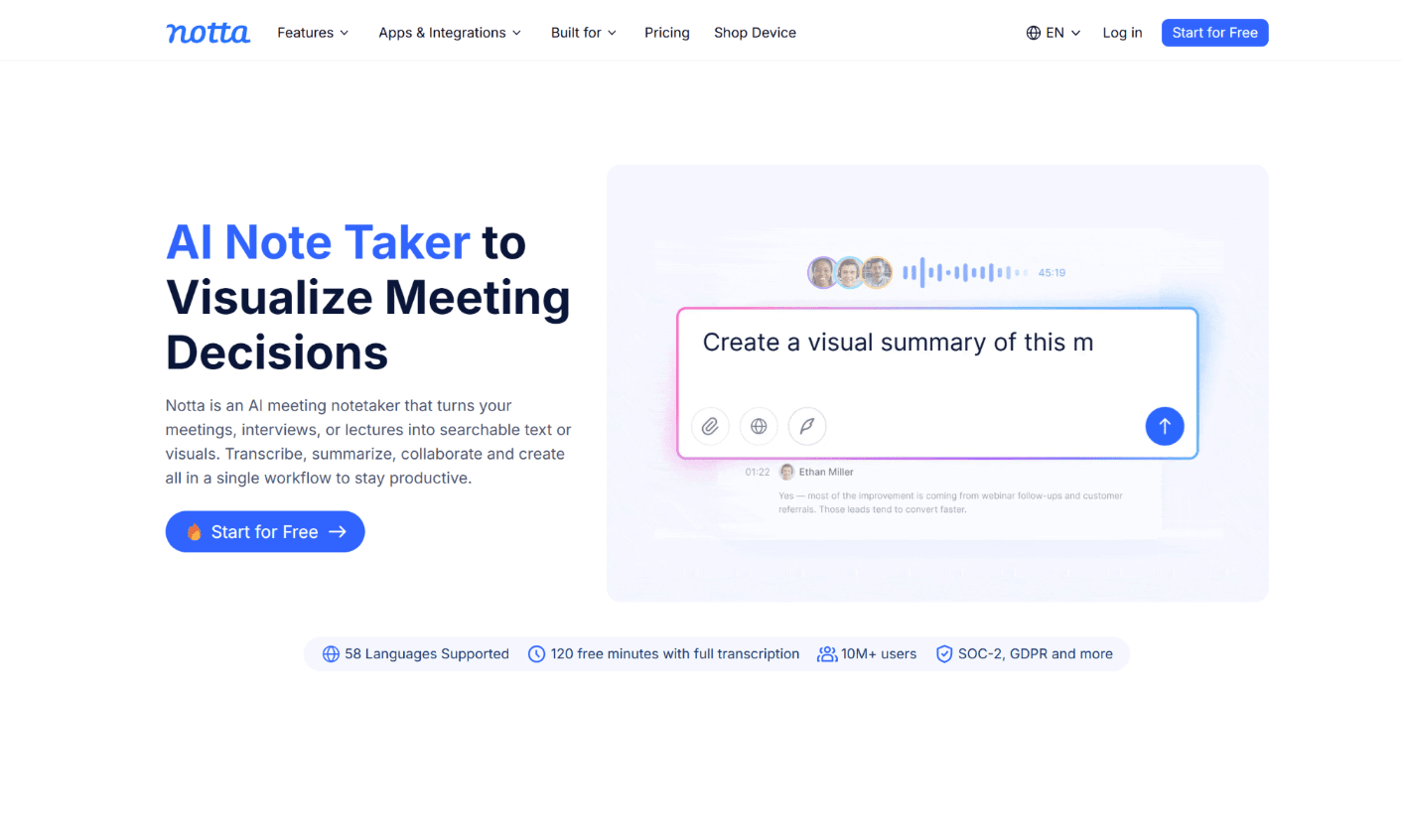
Notta is the meeting and interview summarizing tool to pick when your calls are not all in English. It transcribes in 58 languages, translates transcripts, and generates structured summaries and action items from live meetings and uploaded recordings.
Where it shines at work
Notta joins Zoom, Microsoft Teams, and Google Meet like Otter, but its language coverage is far broader, and it offers bilingual transcription for meetings where two languages are spoken. Its AI Chat answers questions about a transcript, and templates turn a client interview into digestible summaries, a follow-up email, or a slide outline.
Integrations with Salesforce, HubSpot, Notion, Slack, and Zapier push the summary to where the rest of the work happens.
Pricing and limits
The free tier includes 120 transcription minutes per month with a short cap per recording, so treat it as a trial. Pro is listed at $13.99 per month, or about $8.17 per month billed annually, with 1,800 minutes per month, exports, and translation. Business adds unlimited summarization for teams, shared workspaces, and CRM integrations at a per-seat rate. Real-time translation and bilingual mode are sold as separate add-ons.
Watch for: several reviewers report that add-on pricing and billing terms deserve a careful read before committing a team.
5. Claude
Claude, Anthropic's assistant, is the general-purpose AI summary generator to reach for when the document is very long or the reasoning matters. Its large context window means you can upload a 100-page contract, a full annual report, or an entire project archive and ask for a summary without splitting the file.
Where it shines at work
Claude is particularly good at preserving nuance and logical flow across long documents, which makes it useful for technical content, legal text, and reports where the caveats are the point. You can ask for an executive summary, then a bullet points version, then a red-flag list for quick insights, all in one conversation.
It is also a powerful tool for summarizing YouTube videos or webinars if you paste in the transcript, and for answering a specific research question across a stack of PDFs. Projects let you keep a standing set of documents and summarize new material against them.
Pricing and limits
The free plan covers light use with daily limits. Pro costs $20 per month (about $17 per month billed annually) and adds higher usage, larger uploads, and the strongest models. Team and Enterprise plans exist for organizations.
Watch for: Claude is a chat interface, not a dedicated summarizer tool. You get the best results when you specify format, length, and focus in the prompt, which Eliten handles with a click.
6. ChatGPT
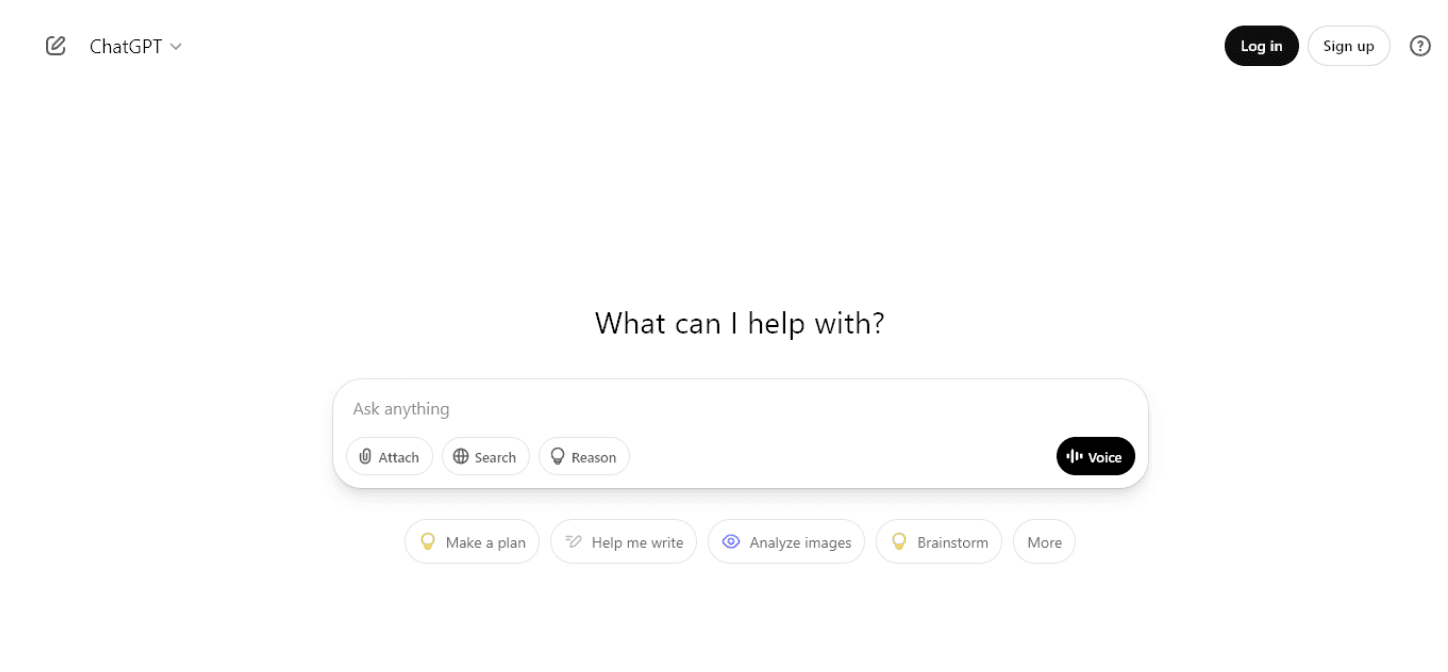
ChatGPT remains the default general-purpose AI summarizer for millions of professionals, and for good reason: it summarizes pasted text, uploaded documents, and even spoken notes, then lets you keep working on the result.
Where it shines at work
Paste a thread or upload a file and ask for the main ideas, a decision log, or a one-paragraph brief. ChatGPT is strong at reformatting: the same source can become bullet points for a Slack update, a paragraph for an email, and a table of risks and owners. Voice mode lets you dictate a debrief after a client call and get a structured summary back. Custom GPTs and Projects allow teams to set a house style for summaries.
It can also summarize articles from web pages when browsing is enabled, and a Chrome extension puts quick summaries of web pages a click away.
Pricing and limits
The free tier covers basic use. Go costs $8 per month, and Plus costs $20 per month with higher limits, file uploads, and the top models. Team and Enterprise plans add admin controls and data protections.
Watch for: like Claude, ChatGPT needs explicit instructions to keep facts and interpretation separate, and it will occasionally produce a confident summary of a point the source never made. Verify figures before forwarding.
How does an AI summarizer work?
Modern AI summarization tools use natural language processing in one of two modes. Natural language processing has moved on from basic summarization, which mostly trimmed sentences, to models that understand key concepts and argument structure. Extractive tools score sentences and pull the most important ones verbatim; that is the classic one-click summaries approach behind browser extension tools such as TLDR This, a Chrome extension that condenses long articles and web pages into five lines.
Abstractive tools, from Eliten's AI text summarizer to Claude, ChatGPT, and the meeting assistants above, generate new sentences that capture the key points.
For work, whether it is meeting recaps or article summarization, abstractive output is usually what you want, because it reads like a brief rather than a list of quotations. The trade-off is that abstractive tools can occasionally introduce a claim the source did not make, which is why the best AI summarizer tools make it easy to adjust summary length and check the output against the original.
Which is the best AI summarizer for each task?
- A long report, proposal, or contract: Eliten for a controlled, forwardable AI summary in the format you choose; Claude when the document is longer than 5,000 words and you need the whole thing in one pass.
- A whitepaper you need summarized against a specific question: Eliten with a custom rule for focused summaries, or Claude when the file runs past 5,000 words.
- A meeting you attended: Otter or Notta for an automated recap and action items; Microsoft 365 Copilot if your company is standardized on Microsoft Teams.
- A meeting you missed: Copilot's recap tab or Otter's shared summary, then Eliten's action list format to turn it into your to-do list.
- An email thread or web article: Eliten's link input or paste, then the TL;DR format for a two-line brief.
- A quick reformat of something you already summarized: ChatGPT, for turning key points into an email, a slide, or a table.
Most professionals settle on a pair: one AI summary generator for reading and one for meetings. The pairing that comes up most often is Eliten plus Otter, or Eliten plus Copilot for Microsoft-first organizations.
Common mistakes professionals make with AI summaries
Forwarding without reading. An AI summary is a draft brief, not a verified one. Read it against the source once, especially when numbers, dates, or commitments are involved.
Using the wrong summary length. A two-line TL;DR of a contract will lose the clause that matters. Use short summaries in bullet points to triage and detailed summaries to decide.
Feeding sensitive material into consumer tools. Check the data policy before uploading a customer list or a term sheet. Eliten states that text is not stored or used for training; enterprise plans from Microsoft, Anthropic, and OpenAI carry their own commitments. Consumer free tiers sometimes do not.
Ignoring word limits. Eliten caps each request at 5,000 words; other tools set strict limits on file size or minutes. Text beyond the cap may be silently dropped by some tools, so split big files deliberately.
Expecting a chatbot to know your format. Claude and ChatGPT produce excellent summaries when you specify structure, and mediocre ones when you type "summarize this."
Is a paid plan worth it for a professional?
For most individual professionals, a paid plan pays for itself in the first week. The arithmetic is simple: save time at the rate of twenty minutes a day and that is more than eighty hours a year. Paid plans start at around $8 per month for Otter and Notta on annual billing and $20 per month for Claude Pro or ChatGPT Plus, while Eliten's current plan structure is on its pricing page. Free plans are enough to trial each tool and enough for occasional use, but daily use hits the free plan limits fast, and the paid version is where the advanced features live.
The exception is Microsoft 365 Copilot, which is priced per seat for organizations rather than for individuals. If you are not already on a qualifying Microsoft licence, Otter or Notta will summarize the same meetings for a fraction of the cost.
Frequently asked questions
What is the best AI summarizer tool for work?
For documents, reports, and article links, Eliten's AI summary generator, because it accepts pasted text, URLs, and uploads, offers key points and four other output formats plus three lengths, and keeps the chat open for follow-up work. For meetings, Otter or Notta; for Microsoft Teams recaps, Microsoft 365 Copilot. The best AI summarizer for you is the one that matches the format of what lands in your inbox.
What AI is better than ChatGPT for summarizing?
It depends on the source. Claude tends to handle very long documents more reliably in one pass. Dedicated tools such as Eliten's article summarizer produce structured summaries with less prompting, and meeting assistants such as Otter and Notta summarize recordings that ChatGPT cannot join. Marketing platforms such as Jasper AI are built to draft content rather than to condense articles or reports. ChatGPT remains a strong general-purpose choice, especially for reformatting a summary you already have.
Is there a good AI summarizer that does not cost anything?
Yes, within limits, and every free tool here has a cap. Eliten offers a starter allowance after sign-up, ChatGPT and Claude both have a free tier, and Otter and Notta each offer a free plan with a monthly minute cap. A free AI summarizer is enough for occasional use; daily professional use usually justifies a paid plan.
Can an AI summarizer handle meeting transcripts without a paid plan?
Yes. Otter's free AI summarizer transcribes and summarizes up to 300 minutes per month, and Notta's covers 120 minutes. If you already have a transcript as text, Eliten, Claude, and ChatGPT can generate summaries from it like any other document; Eliten's action list format is the fastest way to pull tasks and owners out of a call.
Can AI summarizers work in multiple languages?
Yes. Notta transcribes in 58 languages and translates transcripts. Eliten can summarize text in one language and return the summary in another. Claude and ChatGPT summarize in most major languages. Otter's language coverage is narrower, so check it before relying on it for non-English calls.
Final verdict
Professionals do not need fifteen AI tools; they need two productivity tools, one that handles documents well and one that handles meetings. Eliten's AI summarizer tool takes the top spot for its input flexibility, format and length control, and the follow-up chat that turns a summary into an email or a task list. Otter and Notta are the meeting specialists, Microsoft 365 Copilot is the right choice inside a Microsoft shop, and Claude and ChatGPT cover the long documents and reformatting jobs that fall between. Pick your pair, set your default format, and you will save time every day you spend reading.