Inside the AI Tools Powering the 2026 Creator Economy
Spybroski Team
The creator economy has quietly turned into one of the largest proving grounds for applied AI. While tech headlines still obsess over flashy generative art or novelty chatbots, working creators and agencies are spending their money on something much more mundane: operational automation built to fix the boring, expensive bottlenecks that stall growth.
Over 75% of marketers now use AI tools in some capacity, and nearly 19% of businesses rely on them directly to produce content. Talk to any solo creator or agency operator right now, though, and they will tell you the real problem isn't coming up with ideas anymore. Creators simply have more inbound messages, distribution channels, and editing tasks than hours in the day.
Writing a standard 500-word blog post from scratch still takes around four hours before you even factor in briefing or proofreading. Outsourcing a 1,500-word piece to a freelancer easily runs $175 or more. On subscription platforms like OnlyFans, where the house takes a 20% cut of gross revenue, a creator earning $5,000 a month loses $1,000 every single month ($12,000 a year) just in platform fees. At those margins, every wasted hour and missed DM eats directly into take-home pay. That financial pressure has pulled a wave of engineering talent into building narrow, workflow-specific tools that cut production and management time by 60% to 70% without ruining the human voice audiences actually pay for.
Why the 2026 Creator Stack Is Built Around Jobs, Not Magic Buttons
Spend ten minutes reading agency threads on Reddit and one consensus jumps out immediately: nobody is automating their content or fan management end-to-end with a single tool. Expecting finished copy or unsupervised fan conversations out of raw AI just produces generic slop that takes longer to fix than writing from scratch.
Seasoned operators treat their software stack as a risk-management and workflow-acceleration system. Most AI platforms meter usage through credits, where a cheap monthly base price often hides a fast burn rate once you hit real production volume. Smart creators pick one dedicated tool per job based on where their funnel is actually leaking.
| Workflow Stage | What Breaks Without It | Core Automation Solution | Leading Tools & Real Pricing (2026) |
|---|---|---|---|
| 1. Ideation, Research & Scripting | Blank-page syndrome and generic hooks that fail to hold attention. | Research, forum scraping, and voice-matched drafting for the first 70% of the work. | ChatGPT (Free; Go $8/mo; Plus $20/mo), Claude, Perplexity (Free/Paid), Surfer SEO ($19 to $249/mo) |
| 2. Video, Audio & Visual Production | Hours lost to manual timeline editing, captioning, and studio reshoots. | Transcript-based video editing, viral clip triage, and voice or avatar cloning. | Descript (Free 1 hr; from $12 to $16/mo), Opus Clip (Free 60 mins; $15 to $29/mo), ElevenLabs ($22/mo Creator), Canva Pro ($12.99 to $15/mo), Midjourney ($10 to $30/mo) |
| 3. Multi-Platform Distribution | Posting stops when you get busy; manual reformatting eats your week. | Cross-platform repurposing and automated scheduling. | Blotato ($29/mo for 20 accounts across 9 platforms), Predis.ai ($24 to $32/mo), Metricool (Free tier), Repurpose.io |
| 4. Social Acquisition (Instagram) | Followers comment asking for links and scroll away before you reply. | Official API comment-to-DM triggers and CRM contact tagging. | Inrō (Free for 100 contacts; Pro €12.99/mo), ManyChat (Free to 25 contacts; Pro $29/mo) |
| 5. Inbound DM & Fan Management | Revenue per fan flatlines because the inbox is too full to upsell or reply. | Voice-trained message triage and human-in-the-loop chat management. | Supercreator, Chatterly, Infloww, Annaforcreators |
| 6. Audience Ownership & Retention | Platform bans or algorithm shifts wipe out your income overnight. | Email capture, link-in-bio storefronts, and zero-commission fan sites. | Beacons.ai (Free tier), Systeme.io (Free tier), Scrile Connect (Fixed fee, 0% cut) |
Breakdown of the Core Content and Production Stack
Before traffic ever hits your inbox, you have to survive the production grind. Real agencies and solo operators are very selective about how they deploy creation tools, especially given the hidden billing caveats in this space:
- Ideation & AEO Drafting (ChatGPT, Claude, Perplexity, Grammarly): Agencies rarely ask ChatGPT or Claude to write a finished post. Instead, they pull recurring pain points from Reddit, Quora, and X, or feed the model 20 top-performing ads to spot the structural pattern. With Answer Engine Optimization (AEO) now front and center as ChatGPT Search, Gemini, and Perplexity synthesize direct answers, teams use Perplexity for cited research and Claude for long-form outlines. They then run the human-edited draft through Grammarly ($12/mo) to tighten tone and verify originality.
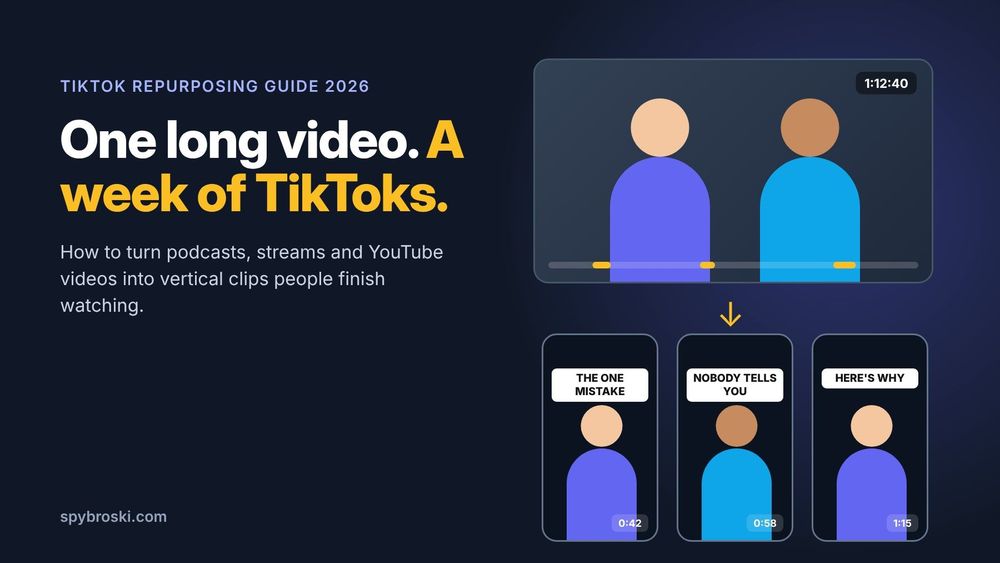
- Short-Form Clipping & Editing (Opus Clip, Descript, CapCut): Used by over 16 million creators, Opus Clip takes a long YouTube video or podcast, reframes it to 9:16, adds animated captions, and scores each clip for viral potential so you only post the best two. Watch the credit math, though, because it bills by source-video length. For hands-on editing, Descript lets you cut video by deleting text directly from a transcript, clean rough audio via its Underlord co-editor, and even run edits from Claude Code through its MCP server. Mobile-first creators still lean on CapCut ($19.99/mo Pro) for fast auto-captions and background removal, though buying on the web is usually cheaper than subscribing through the App Store.
- Voice, Avatars & Faceless Video (ElevenLabs, HeyGen, InVideo AI, Runway): ElevenLabs remains the benchmark for voice cloning across 70+ languages; its $22/mo Creator tier includes 121,000 credits, which easily covers YouTube intros or voice notes. HeyGen turns scripts into on-camera avatar videos across 175+ languages with accurate lip sync (helping teams like Miro speed up video production tenfold), even if avatar realism still drops a bit outside English. Meanwhile, InVideo AI ($25 to $30/mo) builds full faceless videos from a text prompt. Just watch the fine print: monthly generation credits expire and never roll over, which quietly doubles your per-video cost if you only use half your plan.
- Omnichannel Repurposing (Blotato, Predis.ai): The real bottleneck in social media isn't writing a post. It's formatting and scheduling that post across nine different networks. Used by more than 10,000 business owners, Blotato ($29/mo Starter) takes a single topic, URL, or video and generates platform-specific captions, carousels, and visuals across Instagram, TikTok, X, LinkedIn, YouTube, Threads, Facebook, Pinterest, and Bluesky with no per-channel upcharges.
A Narrow Problem, Built On Purpose: Fixing the Acquisition and Inbox Bottleneck
Video clippers and schedulers solve the top-of-funnel grind, but the most expensive leak happens right after a Reel or post gets traction.
When someone comments a keyword on your Reel asking for a link, you have seconds to respond before they scroll away. Relying on a passive link in your bio is the weakest conversion route available because it forces a viewer to stop watching, click into your profile, and tap again. Automated comment-to-DM tools like Inrō (a certified Meta Tech Provider that bills per active monthly contact rather than total stored contacts) close that gap. They fire an instant DM, ask a qualifying question, and tag the user by post and keyword so you can follow up with non-converters later.
Once those followers convert into subscribers or flood your DMs, the bottleneck shifts from acquisition to inbox management. Creators simply have more inbound messages than hours in the day.
This year brought a wave of tools built specifically around that wall. Unlike general-purpose chatbots designed to handle anything a user throws at them, these tools are narrow by design. They are trained or prompted around a single creator's tone, catalog, and typical fan questions, then deployed directly inside the messaging flow of platforms creators already use. That narrowness is the whole point. A tool that only has to sound like one specific person answering a predictable range of questions can get that job right in a way a general assistant usually can't.
Three Trends Reshaping Creator Messaging and Workflows
Across this sector, three practical patterns separate the workflows that scale from the ones that get accounts restricted or alienate paying fans.
1. Personalization Over Generic Scripting
Early chat automation for creators was little more than a glorified auto-responder, triggered by rigid keywords and prone to obvious, repetitive phrasing. Current tools operate closer to a lightweight language model fine-tuned on a creator's actual message history, or prompted with five to ten real past messages. Because of that context, responses increasingly pass as genuinely in-voice rather than scripted.
2. Triage Instead of Full Replacement
Whether in content writing or fan DMs, the best tools don't try to automate every interaction from start to finish. Inside the inbox, they handle volume—repetitive questions, pricing, link delivery, and availability—while routing anything emotionally complex, custom, or high-value back to a human.
This hybrid model has quickly become the industry default rather than a cautious exception. Fully automated chat still fails often enough on edge cases to make hands-off automation a serious reputational risk, and creators have learned that lesson the hard way more than once. The split isn't always obvious to the fan, which is intentional. Someone asking about pricing gets an instant, accurate answer. Someone sharing a personal story or raising a complaint gets routed to a priority queue a human actually checks. The creator decides where that line sits, and modern tools make adjusting it a simple settings change rather than a system rebuild.
3. Platform-Agnostic Deployment and Category Maturation
Rather than building closed ecosystems that force creators to migrate their business, newer entrants design for integration. They plug straight into the messaging and subscription platforms creators already rely on.
Among the newer entrants worth watching is Annaforcreators, which is built around automating high-volume fan conversation while keeping the output recognizably human rather than templated. Alongside established chatter CRMs like Supercreator (which uses its AI assistant, Izzy, for high-volume fan triage) and staff-permission platforms like Chatterly or Infloww, it reflects how the whole category is maturing. The industry is moving away from "chatbot" as a product label and toward a message-management layer that works much more like email filtering or CRM software.
What to Build First (And How to Stay Safe)
Buying five subscriptions at once guarantees complexity and zero extra revenue. Build your stack in this order and stop whenever the next layer isn't your actual bottleneck yet:
- Fix Stage 2 (Social Acquisition): Set up comment-to-DM automation on Instagram with one keyword on one Reel using an official Meta API tool like Inrō or ManyChat. Turn your existing engagement into tagged DM conversations before worrying about posting more.
- Add the Ownership and Landing Layer: Pair your DMs with a link-in-bio that captures emails (like Beacons.ai) or a self-hosted creator site (like Scrile Connect). Social platforms and marketplaces are rented land. An email list or independent site is the only asset that survives a sudden platform ban.
- Run Segmented Follow-Up Campaigns: A targeted message to 100 warm contacts who clicked your link but didn't subscribe beats a cold blast to 1,000. Keep your outreach to a strict three-message ceiling on cold or warm contacts: the initial delivery, one 48-hour nudge, and one final check-in. Going past three messages trades a tiny conversion chance against getting reported, and a spam report costs far more in lost reach.
- Add Chat Triage and Repurposing Last: Bring in inbox management tools once your subscriber DMs are genuinely the constraint, and add cross-platform schedulers once production volume is what limits you.
Platform Safety Rule: Only automate Instagram DMs through Meta's official API, and only auto-reply to users who contacted you first (comments, Story replies, inbound DMs). Automated cold DMs and unofficial login scrapers will get your account restricted. On OnlyFans, always follow platform disclosure rules by labeling AI-assisted chatting, and never use unauthorized third-party bots that rely on session cookies or password sharing.
Frequently Asked Questions
What is the minimum tool stack for a solo creator in 2026?
You only need three core pieces to start: a tool that captures social engagement into a DM (like Inrō), a link-in-bio that collects emails (like Beacons.ai), and a writing assistant (like ChatGPT or Claude). All three offer free tiers, so your starting stack costs nothing until subscriber and posting volume justify paid upgrades.
Can AI tools completely replace a content or agency team?
Not entirely, though they allow one person to produce and manage volume that previously required a full team. The winning setup uses software to handle the first 60% to 80% of execution—research, rough drafts, video clipping, and repetitive DM triage—while keeping a human in the loop for strategy, brand voice, and high-value fan relationships.
Are free content creation tools worth using long-term?
Free tiers on tools like Opus Clip (60 minutes per month), Descript (1 hour per month), Canva, and InVideo AI are great for testing workflow fit, but they are intentionally capped with watermarks or tight credit limits. Treat free plans as a working trial rather than a permanent operating model.
Why is message-management software growing so quietly compared to image or video tools?
For an industry that spent the last two years figuring out what generative AI is actually good for beyond flashy demos, the creator economy's answer has been refreshingly unglamorous: answer the DMs, and answer them well enough that nobody notices. It won't grab the press headlines that coding assistants or cinematic video generators get, but it solves a real, recurring, expensive problem for working professionals, which is always a better predictor of staying power than novelty.