Why Familiar Connections Are Treated Differently Online

Spybroski Team
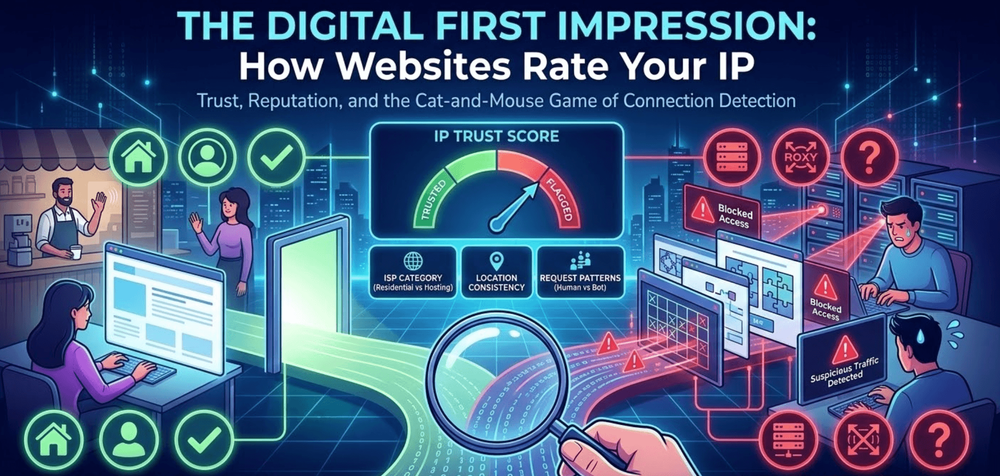
Walk into a local coffee shop, and the barista might wave you through without checking your order. Try that at a place you've never visited? You'll wait in line like everyone else. Websites work the same way.
That first impression happens in milliseconds. A web server looks at your incoming connection and makes a quick call: friend or stranger? The answer shapes your entire experience on that site.
How Sites Size Up Your Connection
Every device connecting to the internet carries an IP address, and that address tells a story. Web servers don't just see a random string of numbers. They see context: where that IP comes from, who assigned it, and what kind of traffic typically flows through it.
Residential IPs (the kind your home router uses) come with built-in credibility. When a site sees traffic from Verizon, Spectrum, or Virgin Media, it assumes there's probably a real person on the other end.
Data center IPs? Those belong to servers, not households. And that distinction matters more than most people realize.
For people who want privacy without constant CAPTCHA puzzles, options like http://cometvpn.com/features/static-residential-vpn split the difference. A static residential VPN gives you a fixed address that looks like regular home traffic. Similarly, a VPN with dedicated IP ensures that you’re not sharing your address with hundreds of other users, reducing the risk of being flagged or blocked. Sites treat it accordingly.
The Detection Game
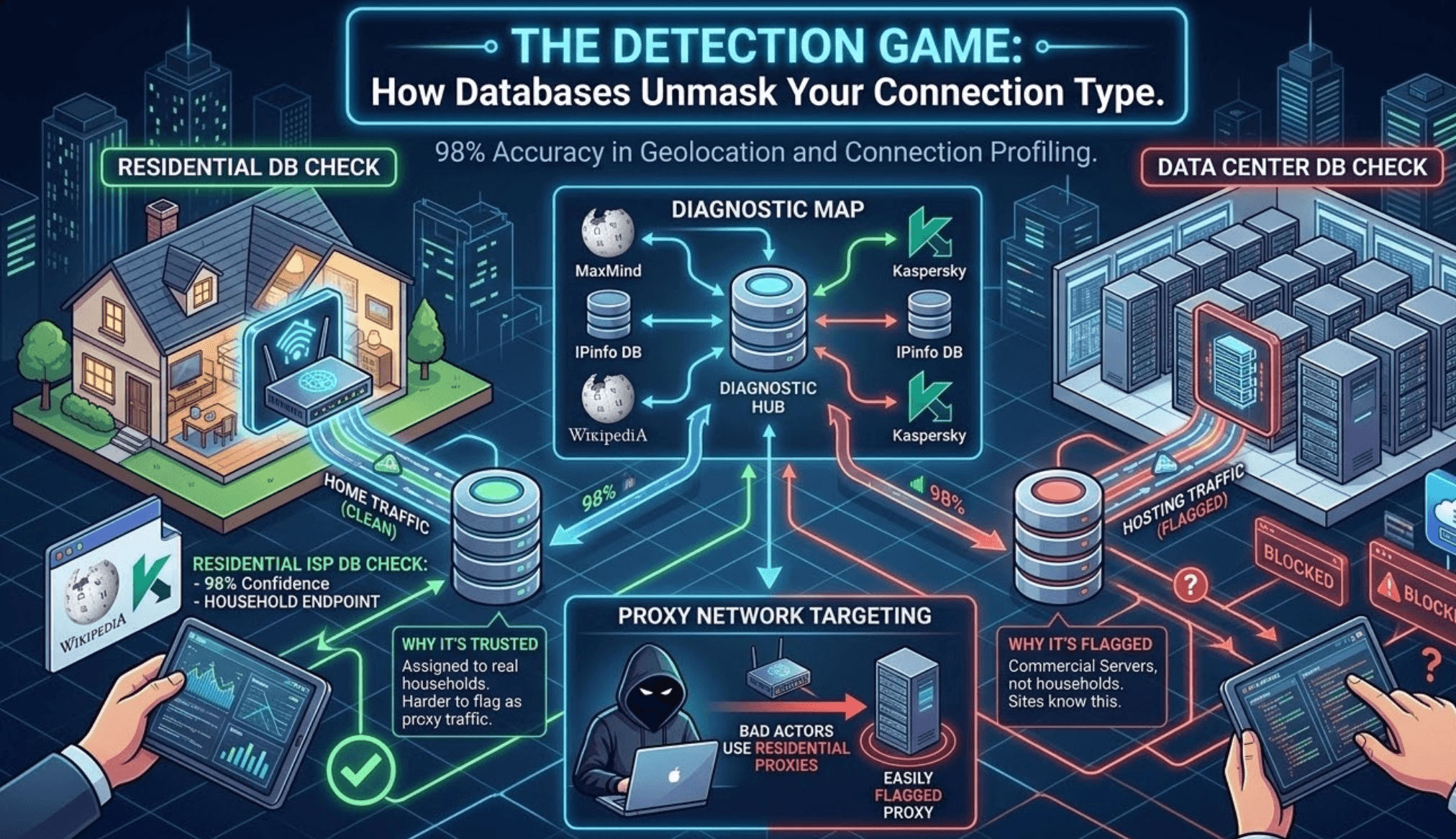
Here's where things get interesting. Websites have gotten remarkably good at telling connection types apart. According to Wikipedia's Internet geolocation page, modern databases can identify whether an IP belongs to a residential ISP or a hosting company with about 98% accuracy.
Data center IPs stick out. They're assigned to commercial servers, not households. And sites know this.
The Kaspersky blog covers why residential addresses carry so much weight: they're genuinely harder to flag as proxy traffic. Bad actors actually go after home routers specifically because those IPs sail past security measures that would block obvious proxies.
What Builds (or Breaks) IP Trust
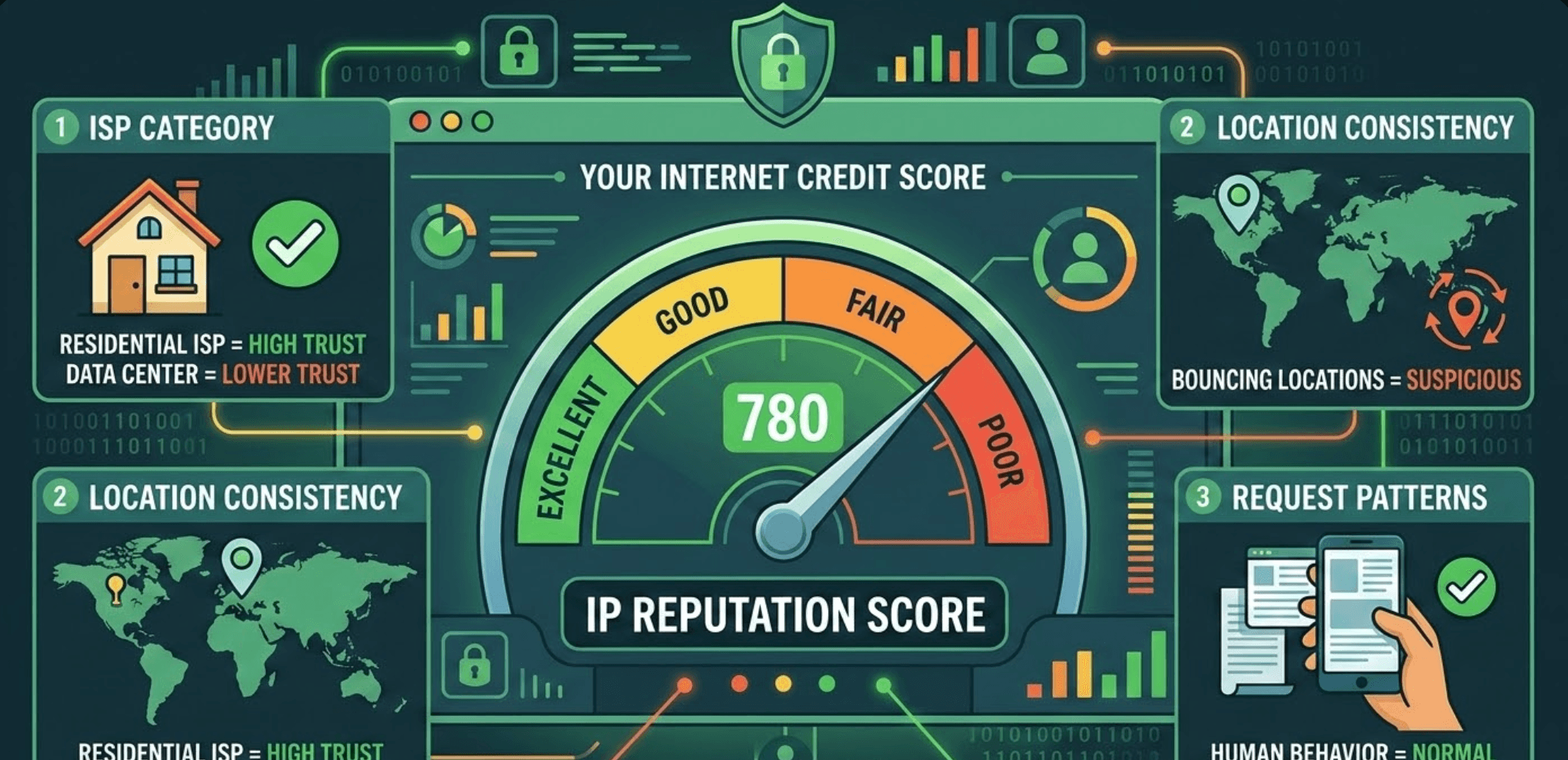
Your IP's reputation isn't fixed. It shifts based on behavior patterns tied to that address over weeks and months. Think of it like a credit score for internet traffic.
An IP that's been linked to spam campaigns or credential stuffing attacks picks up negative marks fast. Those marks follow the address around, affecting everyone who uses it later.
Buy a new router and get assigned a previously-flagged IP? Not your fault, but you'll still deal with the consequences.
Three things matter most when sites evaluate incoming traffic. First, the ISP category: residential providers get more benefit of the doubt than hosting companies.
Location consistency is the second factor. An IP bouncing between continents in a single day looks suspicious. Request patterns matter too, since bots behave differently than humans scrolling through a page.
Sites check every incoming connection against massive blacklist databases. A clean residential IP breezes through. A flagged data center IP gets the full interrogation treatment.
What This Means for Privacy Tools
Most VPN services route hundreds of users through the same server. That shared IP becomes everyone's problem. One bad actor on that server, and suddenly your connection looks suspicious too.
IPinfo's data shows just how precise detection has become. Modern systems can spot VPNs, proxies, and Tor traffic with impressive accuracy. The cat-and-mouse game between privacy tools and detection systems keeps escalating.
Standard advice says use a VPN for privacy. However, evaluating a VPN vs proxy approach shows that full system encryption comes with distinct performance trade-offs. But that advice glosses over the friction involved.
Shared IPs get flagged constantly. Sites throw up barriers, and the experience degrades quickly.
Finding the Balance
People using privacy tools for legitimate reasons (and there are plenty) face an annoying tradeoff. Protection from tracking is great, but not if it means fighting through verification screens every five minutes.
The workaround usually involves picking connection types that look normal to websites. Residential IPs open doors because they match what sites expect from regular users. That's just how the system works right now.
Geographic consistency helps too. Accounts that pop up in London, then Tokyo, then São Paulo within hours trigger automatic scrutiny. Sticking to one region (even while using privacy tools) smooths things out considerably.
None of this is static. Sites keep improving their detection, and privacy tools keep adapting. For anyone caught between wanting privacy and needing access, understanding these mechanics makes the whole thing less frustrating.